

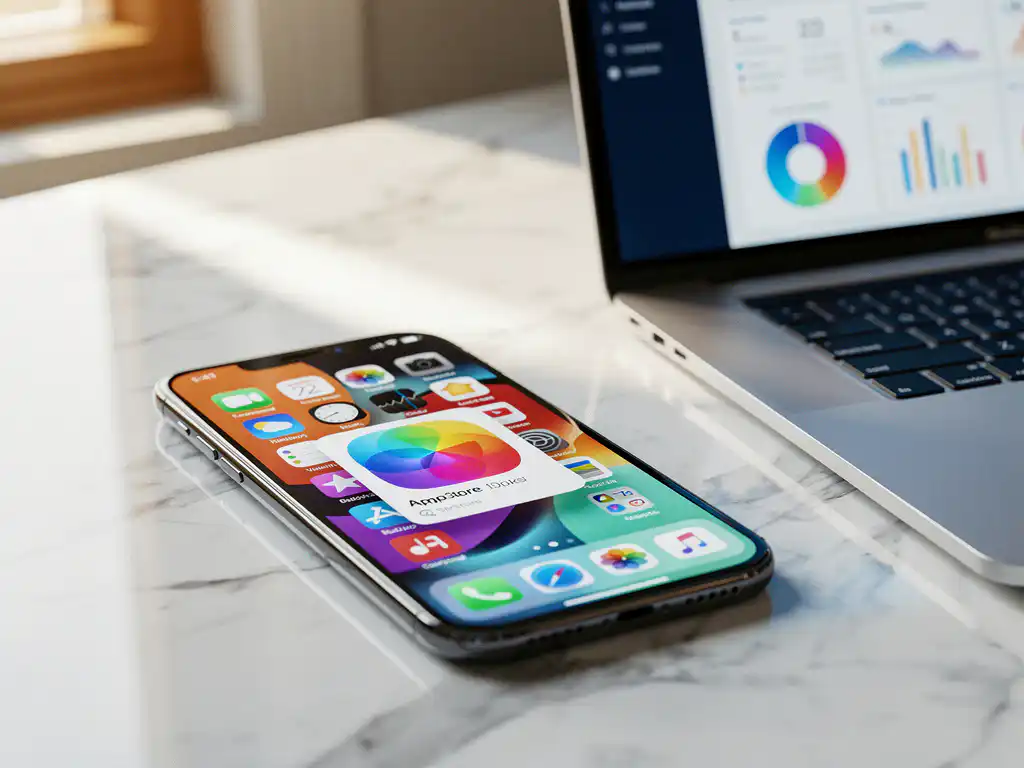
Apple Search Ads are a powerful way to advertise your app directly in the App Store, placing it at the top of relevant search results. You create campaigns targeting specific keywords, set your budget, and pay only when users tap your ad. The platform offers two main campaign types: Search Results ads, which appear at the top of search results, and Search Tab ads, which appear on the main Search tab.
This advertising method helps you reach users who are actively searching for apps like yours, making it one of the most effective ways to drive high-quality downloads and increase visibility in the competitive App Store environment.
What are Apple Search Ads and How Do They Work?
Apple Search Ads are Apple’s official advertising platform, allowing app developers to promote their iOS apps directly in the App Store. The ads appear as sponsored listings when users search for relevant keywords, giving your app prime visibility at the top of search results.
The system works on an auction-based model in which you bid on keywords related to your app. When a user searches for those terms, Apple’s algorithm considers your bid amount, app relevance, and user engagement metrics to determine whether your ad appears. You pay only when someone taps your ad, making it a cost-effective advertising solution.
Apple Search Ads integrate seamlessly into the App Store experience, appearing with a small “Ad” label but otherwise looking identical to organic search results. This native integration means users don’t feel interrupted by advertising, leading to higher engagement rates than traditional display advertising.
Why Should You Use Apple Search Ads for App Promotion?
Apple Search Ads target users with high purchase intent who are actively searching for apps in your category, resulting in better conversion rates and higher-quality downloads than other advertising channels. Users who download apps through Search Ads typically show stronger retention and engagement.
The platform offers unique advantages that make it particularly valuable for app marketing. First, you reach users at the exact moment they’re looking for solutions your app provides. Second, the ads appear within Apple’s trusted environment, lending credibility to your app. Third, you get detailed performance data and can track conversions directly through Apple’s attribution system.
Apple Search Ads also provide access to users who might never discover your app organically. Even well-optimized apps can struggle to rank for competitive keywords, but Search Ads give you immediate visibility for those terms. The platform’s sophisticated targeting options let you reach specific demographics, locations, and device types, ensuring your ad spend reaches your ideal users.
How Do You Set Up Your First Apple Search Ads Campaign?
Setting up your first Apple Search Ads campaign requires an Apple Search Ads account, which you can create using your Apple Developer account credentials. You’ll choose your campaign type, set your budget and targeting parameters, select keywords, and create your ad creative using your app’s existing App Store assets.
Start by accessing the Apple Search Ads dashboard and clicking “Create Campaign.” You’ll need to select your app from your developer account and choose between Search Results and Search Tab campaigns. For beginners, Search Results campaigns typically provide better performance and are easier to optimize.
Next, configure your campaign settings, including your target audience, geographic locations, and device types. Set your daily budget and choose between automatic and manual keyword targeting. Automatic targeting lets Apple find relevant keywords for you, while manual targeting gives you complete control over which search terms trigger your ads. Your ad creative pulls directly from your App Store listing, so ensure your app title, description, and screenshots are optimized before launching campaigns.
What’s the Difference Between Search Results and Search Tab Campaigns?
Search Results campaigns show your app at the top of specific keyword search results, while Search Tab campaigns display your app on the main Search tab, where users browse for new apps. Search Results campaigns target users with specific search intent, whereas Search Tab campaigns focus on discovery and browsing behavior.
Search Results campaigns offer more precise targeting and typically deliver a better return on ad spend because they reach users actively searching for solutions your app provides. These campaigns let you bid on specific keywords and compete directly with organic search results. You have granular control over which search terms trigger your ads and can optimize performance at the keyword level.
Search Tab campaigns work differently by displaying your app to users browsing the Search tab without entering specific keywords. These campaigns use Apple’s machine learning to show your app to users likely to be interested based on their App Store behavior and preferences. While Search Tab campaigns can generate significant volume, they typically have lower conversion rates and require careful audience targeting to maintain efficiency.
How Do You Choose the Right Keywords for Apple Search Ads?
Choose keywords that accurately describe your app’s function and match the search terms your target users actually type into the App Store. Focus on a mix of branded terms, category keywords, competitor names, and feature-specific phrases that align with your app’s core value proposition.
Start your keyword research by analyzing your app’s current App Store optimization keywords and identifying which terms already drive organic traffic. Use Apple Search Ads’ keyword suggestions tool to discover additional relevant terms and view search volume estimates. Review competitor apps in your category to understand which keywords they may be targeting.
Balance broad and specific keywords in your campaigns. Broad category terms like “fitness app” generate high volume but face intense competition and may attract less qualified users. Specific long-tail keywords like “yoga timer meditation” typically cost less and attract more targeted users who are likely to engage with your app. Monitor keyword performance regularly and pause terms that generate clicks but few conversions, while increasing bids on high-performing keywords that drive high-quality users.
How Much Does Apple Search Ads Cost and How Do You Set Budgets?
Apple Search Ads costs vary significantly based on your keywords, competition, and app category, with cost per tap ranging from $0.50 to $5.00 or more for competitive terms. You control costs by setting daily campaign budgets and maximum cost-per-tap bids, paying only when users actually tap your ads.
Your actual costs depend on several factors, including keyword competition, your app’s relevance score, and bid amounts. Popular categories like games, finance, and productivity typically have higher costs due to increased competition. Less competitive niches or specific long-tail keywords often provide better value with lower cost-per-tap rates.
Set realistic budgets based on your user acquisition goals and lifetime value calculations. Start with smaller daily budgets while you optimize your campaigns, then scale spending on high-performing keywords and audiences. Use bid strategies that align with your goals: set higher bids for valuable branded keywords where you want maximum visibility, and lower bids for experimental keywords where you’re testing performance. Monitor your cost per acquisition closely and adjust budgets to maintain profitable user acquisition rates.
How Do You Optimize Apple Search Ads for Better Performance?
Optimize Apple Search Ads by regularly analyzing keyword performance, adjusting bids based on conversion data, refining audience targeting, and continuously testing different ad variations. Focus on improving your app’s conversion rate by optimizing the App Store listing elements that serve as your ad creative.
Monitor your campaign metrics weekly and make data-driven optimizations. Increase bids on keywords that generate high-value users with strong retention, and reduce or pause spending on terms that drive clicks but poor conversions. Use negative keywords to prevent your ads from showing for irrelevant searches that waste budget without generating high-quality downloads.
Your App Store listing directly impacts ad performance since it serves as your ad creative. Optimize your app title, screenshots, and description to improve conversion rates from ad clicks to downloads. Test different audience segments and geographic targeting to find your most responsive users. Regularly review search term reports to discover new keyword opportunities and identify irrelevant terms to exclude from your campaigns.
Frequently Asked Questions
How long should I wait before making optimization changes to my Apple Search Ads campaigns?
Wait at least 7-14 days before making significant optimization changes to allow sufficient data collection. Apple’s algorithm needs time to learn and optimize delivery, and making changes too quickly can reset this learning process. However, you can pause obviously underperforming keywords or increase budgets on high-performing campaigns sooner if you have clear data indicating the need for immediate action.
What's a good conversion rate for Apple Search Ads, and how do I know if my campaigns are performing well?
A typical Apple Search Ads conversion rate ranges from 15-30%, though this varies significantly by app category and competition level. Focus on your cost per acquisition (CPA) relative to your user lifetime value (LTV) rather than just conversion rates. If your CPA is less than 30-50% of your LTV and you’re seeing good user retention, your campaigns are likely performing well.
Should I use exact match or broad match keywords when starting my first campaign?
Start with broad match keywords to gather data on which search terms actually trigger your ads, then gradually add high-performing terms as exact match keywords with higher bids. Broad match initially helps you discover valuable keywords you might not have considered, while exact match gives you more control and typically better performance once you know which terms work best for your app.
Can I run Apple Search Ads if my app isn't ranking well organically in the App Store?
Yes, Apple Search Ads can actually be more valuable for apps with poor organic rankings since they provide immediate visibility for competitive keywords. However, ensure your App Store listing is well-optimized before launching ads, as users will still evaluate your app’s screenshots, reviews, and description before downloading, regardless of how they discover it.
How do I prevent my ads from showing for competitor app names, and should I bid on competitor keywords?
Add competitor app names as negative keywords to prevent your ads from showing for those searches if you don’t want to compete directly. However, bidding on competitor keywords can be effective if your app offers similar functionality, as users searching for competitors may be interested in alternatives. Just ensure your app is genuinely competitive and your ad spend remains profitable.
What should I do if my Apple Search Ads are getting clicks but very few downloads?
This indicates a conversion problem with your App Store listing rather than your ad targeting. Focus on optimizing your app’s screenshots, title, and description to better communicate value and encourage downloads. Also review your keyword targeting to ensure you’re not attracting users looking for fundamentally different app types, and consider adding negative keywords to filter out irrelevant traffic.
Is it worth running Apple Search Ads for free apps, and how do I measure ROI without direct revenue?
Yes, free apps can benefit from Apple Search Ads by focusing on user engagement metrics and indirect monetization goals. Measure success through user retention rates, in-app engagement, ad revenue, or conversion to premium features rather than immediate revenue. Set your target CPA based on the long-term value each user brings through engagement, subscriptions, or advertising revenue.
Related Articles
- 5 common causes of broken app deep links
- How do I know if our app measurement setup fits our company size?
- Why do users lose their cart after reopening my app?
- How do you advertise an app to compete with market leaders?
- How does app store optimization help advertise your app?
- 6 key metrics to track when you advertise your app successfully
- Can small businesses effectively advertise their mobile app?
- How do screenshots impact app store conversions?
- What are backend keywords on iOS?
- What does ASO stand for in online marketing?




 EN
EN  NL
NL 