

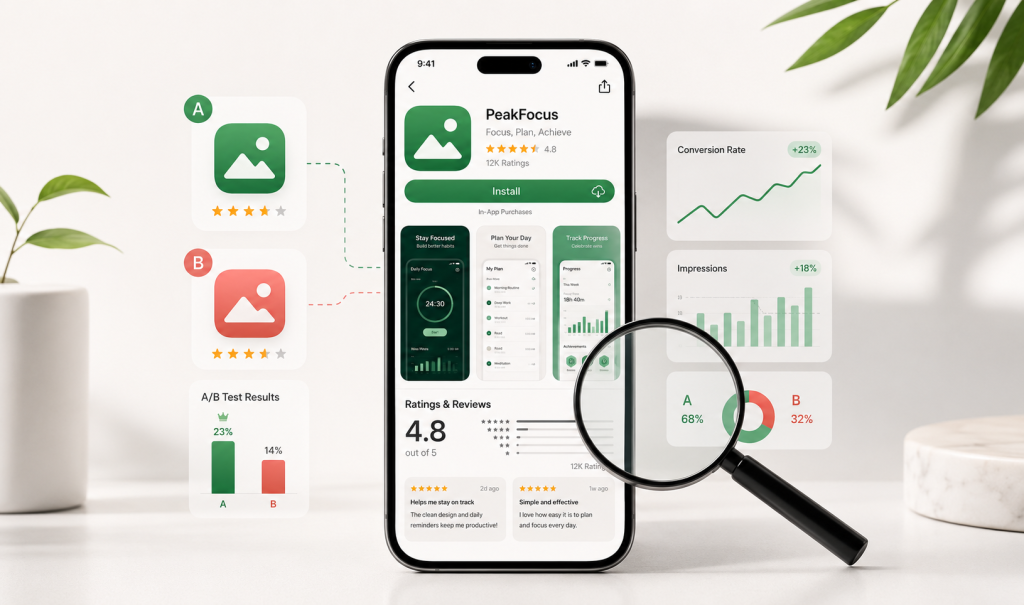
Every marketing channel you run, paid ads, social, PR, influencer campaigns, organic search, leads to exactly one place: your App Store or Google Play product page.
It’s the final step in your entire user acquisition funnel. If that page doesn’t convert, every dollar spent before it was wasted.
New data from AppTweak’s ASO Benchmark Report shows most mobile teams are leaving this exact touchpoint untouched. Here’s what the numbers say, what’s driving them, and the specific steps to close the gap.
What is the ASO testing gap, and why does it matter?
The testing gap is the difference between apps that validate their store assets with real data and apps that guess. Right now, most apps are guessing.
According to the report, more than 50% of apps have never A/B tested a screenshot. 76% have never tested their app icon. 79% have never tested a feature graphic.
These aren’t small details. Your icon and first screenshot are the first things a potential user sees before they decide to tap install or scroll past. If you’ve never tested them, you don’t actually know if they’re working, you’re assuming.
How to close the testing gap, step by step:
- Pick one asset, not five. Start with your app icon or your first screenshot, whichever gets the most impressions in search and browse. Testing multiple assets at once makes it impossible to know which change moved the number.
- Set a single, measurable goal. Usually this is impression-to-page-view or page-view-to-install conversion rate. Don’t test for “looks better,” test for a number that moves.
- Use the platform-native testing tools first. Both the App Store and Google Play offer built-in ways to run true A/B splits directly on your listing, no outside tool required to get started.
- Run the test long enough to be valid. A test that ends after 3 days of traffic isn’t data, it’s noise. Most tests need 2–4 weeks and a meaningful traffic volume to reach statistical confidence.
- Bank the winner, then move to the next asset. Once you have a confirmed lift, that becomes your new baseline. Roll straight into testing the next element, this is a continuous cycle, not a one-time project.
Every untested asset is a guess sitting on your highest-traffic page. Small, structured tests close that gap fast, and this is the core of what our App Store Optimization service is built to do: systematic testing instead of a set-it-and-forget-it listing.
What are Custom Product Pages, and why are so few apps using them?
Custom Product Pages (CPPs) let you build tailored App Store listings for different ad campaigns, audiences, or keywords, instead of sending every visitor to the same generic page.
The report found 61% of apps and 74% of games ran zero CPPs in Apple Search Ads last year. That’s despite CPPs delivering an average 3.2% lift in tap-to-install conversion rate for apps.
Think about what that means at scale. If you’re running Apple Search Ads and sending paid traffic to a one-size-fits-all page, you’re paying full price for clicks and converting fewer of them than you could.
How to build a CPP strategy that actually earns its lift:
- Map your campaigns to intent groups, not just channels. A user searching “budget tracker” and a user searching “expense splitter” want different proof points, even inside the same app. Group your Apple Search Ads keyword sets by the intent behind them.
- Build one CPP per intent group. Swap the first two screenshots and the app preview video to speak directly to that intent. Keep the icon and title consistent, sudden inconsistency between the ad creative and the page erodes trust.
- Route ad groups to their matching CPP. Apple allows up to 35 CPPs per app and lets you assign specific URLs to specific Apple Search Ads campaigns or ad groups. An untargeted CPP is a wasted one.
- Compare CPP performance against your default page. Track tap-through and conversion rate for each CPP against your baseline listing. Pause or rebuild any CPP underperforming the default within 30 days.
- Extend the same logic to Google Play. Google Play offers a similar tailored-page option for Google Ads traffic. If you run Google App Campaigns, this closes the same gap on Android.
A CPP built around a specific campaign or keyword speaks directly to the intent that brought the user there. That relevance is what drives the lift, and it’s a core part of how we structure Apple Search Ads campaigns for our clients, every ad group gets a page built for it, not a shared default.
Does your app’s star rating actually affect organic visibility?
Yes, and the impact is bigger than most teams assume. This isn’t just a trust signal for users, it’s a visibility signal for the algorithm.
The data shows 95% of featured apps on the App Store and 96% on Google Play have a rating of 4.0 stars or higher. Fall below that line and your chances of getting featured drop to under 5%.
Featured placement is free, high-intent traffic. Losing access to it over a rating you haven’t actively managed is an unnecessary leak, and one of the easiest to plug.
How to move your rating with a system, not luck:
- Fix the root cause before asking for reviews. If crashes, bugs, or a confusing flow are driving 1- and 2-star reviews, no prompt system fixes that. Pull your last 90 days of reviews and tag the recurring complaints first.
- Time the prompt to a moment of success, not app open. Right after a user completes a core action, finishes a level, hits a savings goal, completes a booking, is when they’re most likely to rate you well. A prompt shown on launch catches people before they’ve had a good experience yet.
- Route unhappy users away from the public review, toward you. A simple in-app “How’s it going?” step before the native prompt lets frustrated users flag an issue to your support team instead of the App Store. Never gate or incentivize the public review itself, both Apple and Google prohibit it.
- Cap prompt frequency. Asking the same user repeatedly damages trust. Once every 60–90 days per user, and never more than a set number of times total, keeps the prompt from becoming an annoyance.
- Monitor rating trend weekly, not just the headline number. A 4.3 average can be masking a recent slide from 4.6. Track the rolling 30-day average separately from the lifetime average to catch problems early.
Ratings aren’t static. A steady system for prompting happy users at the right moment, and resolving unhappy ones before they leave a review, moves this number over time, and it’s a standing part of the ongoing optimization work inside our App Store Optimization service.
What does an unoptimized store page actually cost you?
It costs you every click you’ve already paid for.
If your icon, screenshots, and feature graphic have never been tested, and you have no CPPs tailored to your campaigns, and your rating sits under 4.0, you are paying to drive traffic into a page that’s quietly turning people away before they ever open your app.
Run the math on your own funnel: take your current tap-to-install conversion rate, apply even a conservative 2–3% lift from testing and CPPs, and multiply that across your monthly ad spend. On most accounts, that gap is worth more than the cost of running the optimization program itself.
The store page isn’t a formality you set once at launch. It’s a live conversion asset, the same as a landing page or checkout flow, and it should be treated with the same discipline, and measured with the same rigor you’d expect from any performance marketing channel.
Why is this actually good news for apps that start now?
Because so many apps are neglecting this, the bar to stand out is lower than it looks.
Most of your competitors haven’t tested their icon. Most haven’t touched CPPs. Most aren’t actively managing their rating. Treating ASO as a continuous, structured growth lever, instead of a one-time setup task, is one of the easiest competitive advantages available right now.
A realistic first 90 days, if you’re starting from zero:
- Weeks 1–2: Audit current assets, ratings trend, and existing (or missing) CPPs. Pull competitor benchmarks for your category.
- Weeks 3–6: Launch your first icon or screenshot test. Build and launch your first 2–3 CPPs mapped to existing ad groups. Put a review-prompt system live.
- Weeks 7–10: Read the first test results. Bank the winner, launch the next test. Compare CPP performance against your default listing.
- Weeks 11–13: Second test cycle live. Full rating trend review. Decide what becomes permanent, and what the next quarter tests.
This is exactly where we work. At Wuzzon, we help app brands close these gaps, testing store assets systematically, building CPPs that match campaign intent, and putting a rating-management system in place, so that every click you’ve paid for has the best possible shot at becoming a download. If you want a second set of eyes on where your funnel is leaking, our Strategic App Growth Consultancy starts with exactly this kind of audit.
Frequently Asked Questions
How often should we be testing our app store screenshots and icon?
Test one asset at a time so you can isolate what’s actually driving the change. A steady quarterly cadence, one primary test per quarter per asset, is enough to build a real body of data without disrupting a stable listing.
Do Custom Product Pages work for Google Play too?
Google Play offers a similar tailored-page option for different traffic sources. The setup differs from Apple’s CPPs, but the strategy, matching the page to the campaign, is the same.
What’s the fastest way to improve a rating that’s already below 4.0?
Start by fixing the in-app issues driving negative reviews, that’s the root cause. Then put a prompt system in place that asks happy, engaged users for a review at the right moment, rather than asking everyone at the same fixed point.
Is ASO worth it if we’re already running paid ads?
It’s more worth it, not less. Paid traffic sends clicks to your store page regardless, so an unoptimized page means you’re paying full acquisition cost for a lower conversion rate. ASO and paid work together, not instead of each other, which is why we build them into the same App Growth Stack for clients rather than running them as separate workstreams.
How many Custom Product Pages should we actually build to start?
Start with 2–3, mapped to your highest-spend Apple Search Ads campaigns, not all 35 available slots. It’s easier to manage and measure a handful of pages properly than to spread attention across too many at once.
Who owns ASO internally, marketing or product?
In most teams that get results, it sits with marketing but pulls product and design into every test cycle. Screenshots and icons are creative decisions with a marketing goal attached, so the best outcomes come from close collaboration, not a handoff.
Ready to see where your store page is leaking downloads? Book a free consultation with Wuzzon.



 EN
EN  NL
NL 