

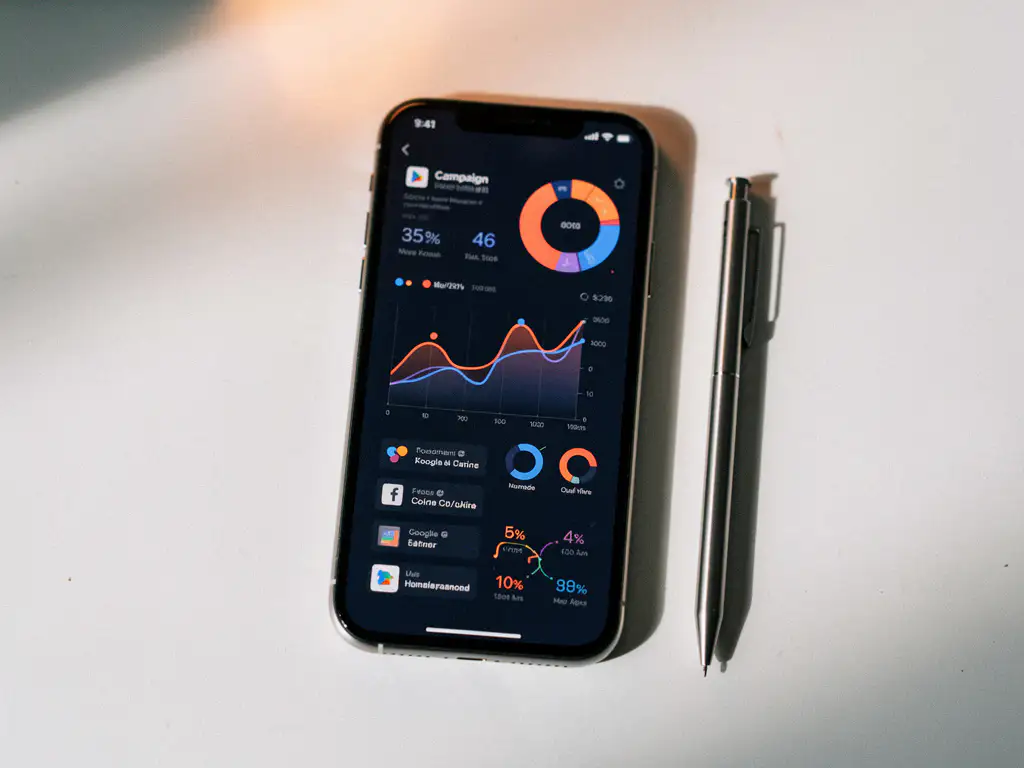
To see all your app ad spend in one place, use a Mobile Measurement Partner (MMP) such as AppsFlyer or Singular. These platforms pull cost and performance data from every connected ad network into a single dashboard, giving you a unified view of spend, installs, and in-app events across iOS and Android. Below, we cover the most common questions marketers have when setting up a consolidated app ad spend overview.
Why is app ad spend scattered across so many platforms?
App ad spend is scattered because each channel you run campaigns on, whether Apple Search Ads, Google, Meta, TikTok, or a performance network, stores its own data in its own reporting interface. There is no universal data standard across ad networks, so every platform tracks impressions, clicks, installs, and costs using its own methodology. The result is that your app ad spend overview lives in five or more separate dashboards by default.
This fragmentation makes it difficult to compare the real app ROI across channels. A campaign on Meta might report installs differently than Apple Search Ads does, and neither of those numbers will match what you see in your own backend unless you have a centralised attribution layer in place. For marketing managers running campaigns across multiple channels simultaneously, this quickly becomes unmanageable, especially when app reporting feels too slow to act on.
What tools can consolidate app ad spend in one dashboard?
The most effective tools for consolidating app ad spend are Mobile Measurement Platforms (MMPs). AppsFlyer and Singular are the two most widely used options in 2026. Both platforms connect to major ad networks via API, pull in cost data automatically, and display unified reporting across all your channels in a single interface. Singular adds a layer of marketing analytics on top of attribution, making it particularly strong for cost aggregation.
Beyond MMPs, some teams use business intelligence tools such as Looker Studio or Tableau to build custom dashboards that pull from multiple sources. These can work well but require more technical setup and ongoing maintenance. For most app marketing teams, an MMP remains the most practical starting point because it combines attribution, cost data, and in-app event reporting in one place without requiring a data engineering team to maintain it.
How does an MMP pull data from different ad networks?
An MMP pulls data from ad networks using direct API integrations. Once you grant the MMP access to your ad network accounts, it regularly fetches cost, impression, click, and install data from each network and maps it against its own attribution data. This means you can see both what you spent on a channel and what that spend actually produced in terms of installs and downstream in-app events.
The attribution side works through an SDK installed in your app. When a user installs your app after seeing an ad, the MMP matches that install to the correct campaign and channel using click and impression data. This connection between ad spend and user behaviour is what makes MMPs more powerful than simply combining ad network reports manually. Platforms like AppsFlyer and Singular have built integrations with hundreds of ad networks, which means the setup process is largely a matter of connecting accounts rather than building custom data pipelines.
What metrics should appear in a unified app spend view?
A unified app spend view should include spend, impressions, clicks, installs, cost per install (CPI), in-app events, and cost per paying user (sometimes called cost per action or CPA). These metrics together give you a complete picture of where your budget is going and which channels are actually converting users into valuable actions inside your app.
Beyond those core metrics, the following are worth including in your dashboard:
- Return on ad spend (ROAS) broken down by channel and campaign
- Retention rates at day 1, day 7, and day 30 per acquisition source
- Lifetime value (LTV) estimates per channel, where your data allows
- Click-to-install rate to identify creative or targeting inefficiencies
- Revenue per user to understand which channel drives your best-paying users
When you combine these metrics in one view, you can move beyond surface-level comparisons and start answering the real question: which channel actually converts users into revenue, not just installs.
Should you build a custom dashboard or use an existing platform?
For most app marketing teams, using an existing MMP platform is the right starting point. Building a custom dashboard gives you full control over how data is displayed, but it requires engineering resources to build and maintain API connections, data pipelines, and visualisation layers. Unless your reporting needs are genuinely unique, the time and cost of a custom build rarely justify the outcome when mature platforms like AppsFlyer or Singular already cover the core use case.
That said, custom dashboards do make sense in specific situations. If you need to combine app ad spend data with web marketing data, offline sales, or CRM data in ways that an MMP does not support natively, a BI tool sitting on top of your MMP data can fill that gap. A practical middle ground is to use an MMP for attribution and cost aggregation, then pipe that data into a tool like Looker Studio for customised visualisation and stakeholder reporting.
The Singular vs AppsFlyer reporting question often comes down to your team’s priorities. Singular tends to suit teams that want stronger cost aggregation and marketing analytics. AppsFlyer is often preferred for its breadth of integrations and its established position in mobile attribution. Both eliminate the problem of having too many marketing dashboards to manage manually.
How often should app ad spend data be reviewed?
App ad spend data should be reviewed at three different frequencies depending on what you are looking at. Daily reviews should focus on spend pacing, anomalies, and immediate performance signals. Weekly reviews are the right cadence for comparing channel performance, adjusting bids, and identifying which campaigns are trending up or down. Monthly reviews are where you assess broader trends, evaluate cost per paying user across channels, and make strategic budget allocation decisions.
One of the most common issues app marketers face is that app reporting feels too slow, particularly when attribution windows mean that the full value of an install is not visible for days or weeks after the click. Building your review cadence around this reality helps. For upper-funnel metrics like CPI, daily data is reliable quickly. For downstream metrics like revenue per user or LTV, weekly or monthly data gives a more accurate picture. Reviewing daily data for LTV decisions often leads to premature budget shifts before the full performance picture has emerged.
Getting your app ad spend under control
Consolidating your app ad spend into a single view is not a one-time setup task. It requires the right MMP in place, clean event tracking, and a review cadence that matches the decision you are trying to make. When those pieces are in place, you stop guessing which channel is performing and start making budget decisions based on real app ROI.
At Wuzzon, we help app teams set up and interpret exactly this kind of reporting infrastructure. If you want to understand how your current setup compares or where the gaps are, our app growth stack services cover the full picture from attribution setup to channel strategy. You can also request a free consultation to talk through your specific reporting challenges with one of our specialists.
Frequently Asked Questions
How long does it typically take to set up an MMP and start seeing consolidated data?
For most app marketing teams, a basic MMP setup with AppsFlyer or Singular can be completed within one to two weeks. The SDK integration into your app is usually the longest step, as it requires a developer to implement and test it before a new app version is released. Connecting your ad network accounts via API is much faster and can often be done within a day once the MMP account is live. Keep in mind that meaningful consolidated data will only start flowing once the new SDK-enabled app version is live in the stores and users are actively installing it.
What are the most common mistakes teams make when setting up a unified app spend dashboard?
The most common mistake is connecting ad network cost data without first ensuring that in-app event tracking is properly configured. Without clean event tracking, you end up with spend and install data but no visibility into what those users actually do inside your app, which makes ROAS and CPA calculations unreliable. Another frequent issue is failing to align campaign naming conventions across networks, which causes fragmented or duplicated data in your MMP reports. Taking the time to define a consistent naming structure before launching campaigns will save significant cleanup work later.
Can an MMP track both iOS and Android spend in the same dashboard?
Yes, both AppsFlyer and Singular support unified reporting across iOS and Android within the same dashboard, and this is one of their core strengths. You can segment performance by platform, compare CPI and ROAS between iOS and Android for the same channel, and make platform-specific budget decisions from a single interface. One important nuance is that iOS attribution operates under Apple’s SKAdNetwork framework, which introduces some data limitations and delays compared to Android. Your MMP will handle SKAdNetwork reporting natively, but it is worth understanding how probabilistic and deterministic attribution differ between the two platforms when interpreting your data.
What if one of my ad networks is not directly integrated with my MMP?
Most major ad networks are already integrated with leading MMPs, but if you run campaigns on a smaller or niche network that lacks a direct API connection, you have a couple of options. Some MMPs allow manual cost data uploads via CSV, which keeps your reporting consolidated even without an automated feed. Alternatively, you can check whether the network supports a postback or S2S integration, which many MMPs also accommodate. If a network you rely on regularly falls outside your MMP’s integration list, it is worth raising this with your MMP account manager, as new integrations are added frequently and they may already have one in development.
How do attribution windows affect the accuracy of my consolidated spend data?
Attribution windows define how long after an ad interaction an install or in-app event can still be credited to that ad. If your attribution window is set to seven days for clicks, an install that happens on day six will still be attributed to the original campaign, even though that campaign’s cost was recorded days earlier. This creates a lag between when spend appears in your dashboard and when the full performance picture for that spend becomes visible. For this reason, it is important not to make budget reallocation decisions based solely on very recent data, particularly for downstream metrics like revenue per user or LTV, as the attributed events may still be arriving.
Is it possible to include web campaign spend alongside app ad spend in the same dashboard?
MMPs are purpose-built for app attribution and do not natively consolidate web marketing spend such as SEO, display, or web-based paid search campaigns. To combine app and web spend in a single view, the most practical approach is to use a BI tool like Looker Studio or Tableau that can pull data from both your MMP and your web analytics platforms. Some teams also use third-party data connectors or ETL tools to centralise everything into a data warehouse first, then build reporting on top of that. This is one of the scenarios where a custom dashboard layer sitting above your MMP genuinely adds value.
How do I know if my current MMP setup is giving me accurate data?
A good starting point is to cross-reference your MMP’s reported installs against the raw install numbers provided by the Apple App Store and Google Play Store consoles. Significant discrepancies can indicate SDK implementation issues, misconfigured attribution windows, or re-attribution settings that are inflating numbers. You should also verify that your in-app events are firing correctly by checking event logs within your MMP’s testing tools before going live with campaigns. If you are unsure whether your current setup is reliable, an attribution audit, which is something Wuzzon covers as part of its app growth stack services, can identify gaps and misconfigurations before they affect your budget decisions.
Related Articles
- 6 ways to find your app's biggest drop-off point
- Should you advertise your app before or after launch?
- What platforms should you use to advertise your mobile app?
- How do you advertise an app using influencer marketing?
- 6 key metrics to track when you advertise your app successfully
- How do you advertise an app using performance-based marketing?
- What is app store personalization?
- How do you choose the right app store category?
- 5 app store description templates for brand apps
- What is keyword density in app store optimization?



 EN
EN  NL
NL 