

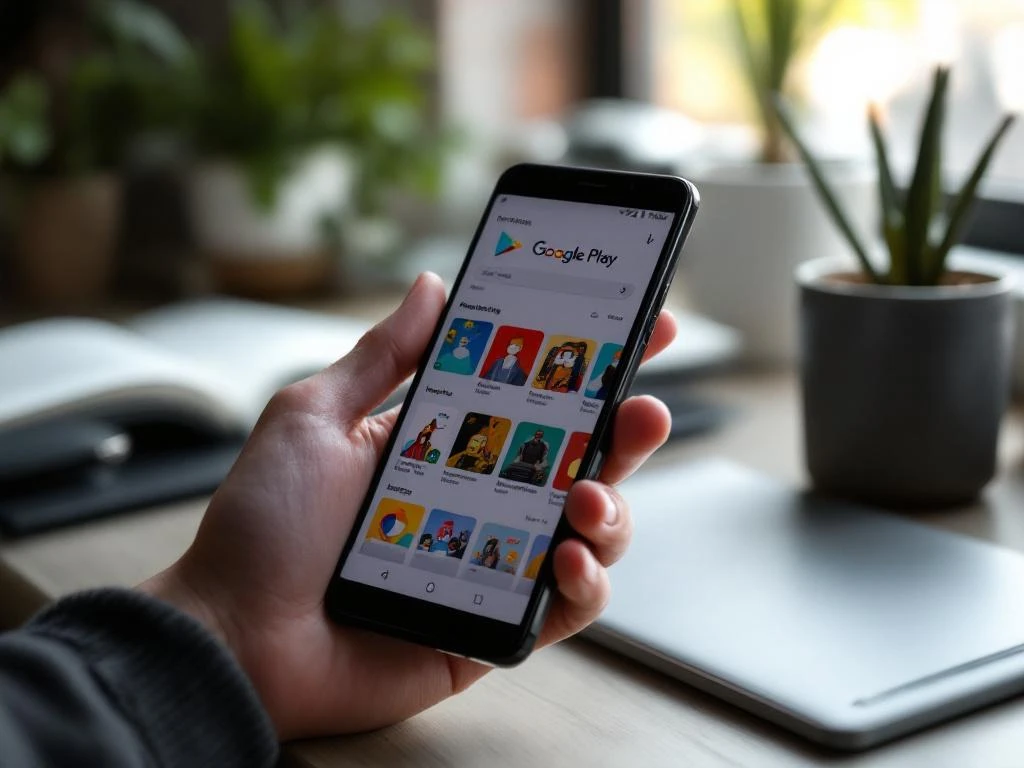
Custom store listings on Google Play are multiple versions of your app’s store page that you can create to target different audiences, countries, or user segments. This feature allows you to tailor your app description, screenshots, and other store elements for specific demographics or markets, helping improve conversion rates and user engagement across diverse audiences. Implementing effective App Store Optimization strategies can enhance these benefits.
What exactly are custom store listings on Google Play?
Custom store listings are a Google Play Console feature that lets developers create multiple versions of their app’s store page to target different audiences with tailored content. Instead of having one generic store listing for everyone, you can customize your app’s presentation for specific user segments, countries, or demographics.
This feature works by allowing you to maintain your default store listing while creating additional variations. Each custom listing can have different descriptions, screenshots, feature graphics, and promotional videos. When users browse Google Play, they see the version that best matches their profile or location.
The system automatically displays the most relevant listing based on factors like user location, language preferences, and demographic data. This targeted approach helps you speak directly to different audience segments using language, imagery, and messaging that resonate with their specific needs and interests.
How do custom store listings actually work in practice?
Custom store listings work through Google Play Console’s targeting system, where you create variations of your store page and set specific parameters for when each version appears. The process involves creating new listings, customizing content for each audience, and configuring targeting rules that determine which users see which version.
When you set up a custom listing, you choose your targeting criteria, such as geographic location, user demographics, or device characteristics. Google Play then serves the appropriate listing to users who match those criteria. If a user doesn’t match any custom listing parameters, they see your default store listing.
The technical implementation happens automatically once you publish your custom listings. Google’s algorithms handle the distribution, ensuring users see the most relevant version without any additional work on your part. You can track performance for each listing separately through Google Play Console analytics, allowing you to measure which versions perform best for different audiences.
What targeting options are available for custom store listings?
One of the most underappreciated aspects of custom store listings is the range of targeting types available. Beyond simple geographic targeting, Google Play supports five distinct custom store listing targeting options — each suited to different acquisition and re-engagement scenarios. Understanding all five is essential for experienced app developers and mobile marketers who want to extract the full value from this feature.
Country and language targeting
Country targeting is the most commonly used custom store listing option and the most straightforward to implement. You assign one or more countries to a specific listing, and all users browsing Google Play from those locations will see your tailored version. This is the foundation of any localization strategy, allowing you to adapt descriptions, screenshots, and visuals to match regional expectations and cultural preferences. It works well as a starting point, but pairing it with language-specific translations is essential for truly effective market coverage — more on that in the localization section below.
Keyword-based targeting
Keyword-based custom listing targeting is one of the most powerful yet underused options available in Google Play Console. When a user finds your app via a specific Play Store search query, you can serve them a listing that directly reflects the intent behind that search. For example, if a user searches for “budget tracker,” your custom listing can lead with that exact use case rather than a generic app description. This creates a direct line between what the user is looking for and what your listing promises, significantly improving conversion rates for high-intent search traffic.
In practice, this means identifying your most valuable search keywords and building dedicated listings that speak to the needs of users who search those terms. A productivity app might maintain separate keyword-targeted listings for “to-do list,” “project management,” and “team collaboration” — each emphasizing the features most relevant to that search context.
URL-based targeting
Each custom store listing can be assigned a unique URL, which you can then distribute through external channels such as your website, email campaigns, social media posts, or partner pages. When a user clicks that link, they are routed directly to the relevant custom listing rather than your default page. The URL parameter structure uses lowercase alphanumeric characters along with specific allowed symbols, and the parameter is appended to your standard Play Store app URL. This makes URL-based targeting particularly valuable for performance marketing, where message consistency between an ad or landing page and the store listing directly affects conversion.
A practical example: if you run a back-to-school email campaign, you can link directly to a custom listing that highlights student-focused features and uses imagery relevant to that context. Users arriving via that link see a cohesive experience from email to store page, which reduces drop-off and improves install rates.
Google Ads campaign targeting
Custom store listings can be linked to specific Google Ads campaigns via AdGroup IDs, ensuring that users who click on a paid ad land on a listing that matches the ad’s creative and messaging. This campaign-to-listing continuity is a critical but often overlooked conversion lever. When the store page mirrors what the ad promised — in terms of visuals, tone, and value proposition — users experience a seamless journey that reinforces their intent to install. Without this alignment, even a well-performing ad can lose conversions at the store listing stage.
For example, if you run separate Google Ads campaigns targeting fitness beginners and advanced athletes, you can connect each campaign to its own custom listing that speaks directly to that audience’s goals. This prevents the mismatch of sending a beginner to a listing that leads with advanced training features.
Install-state targeting (pre-registration and inactive users)
Install-state targeting allows you to serve different listings based on a user’s relationship with your app. Two specific states are supported: users who have pre-registered for your app before it officially launched, and inactive users. Google Play defines an inactive user as someone who downloaded the app more than 28 days ago but has not opened it in the last 28 days, or who has since uninstalled it. These are fundamentally different audiences from new users, and serving them a generic acquisition-focused listing is a missed opportunity.
For pre-registration campaigns, you can create a listing that builds anticipation and communicates launch details to users who have already shown strong intent. For inactive users, a win-back listing can highlight new features, improvements, or updates that have been added since they last engaged — giving them a concrete reason to return. This targeting type is especially valuable for re-engagement strategies, where the messaging needs to acknowledge the user’s prior experience rather than treating them as a first-time visitor.
What can you customize in different store listings?
You can customize several key elements in custom store listings, including your app description, short description, screenshots, feature graphic, promotional video, and app icon. These elements allow you to create completely different presentations of your app for various audiences while maintaining the same core functionality.
Your app description can be rewritten to highlight features that matter most to specific user groups. For example, a fitness app might emphasize weight loss features for one audience and strength training for another. Screenshots can showcase different use cases or display content in various languages to match local preferences.
The feature graphic and promotional video offer opportunities to create visual content that speaks to different demographics. You might use different color schemes, imagery, or messaging styles that appeal to various age groups or cultural preferences. Your app icon can also be adjusted, though this requires careful consideration as it affects brand recognition.
Short descriptions provide space for targeted messaging that immediately communicates value to specific audiences. This brief text appears prominently in search results, making it particularly important for capturing attention from your intended user segments.
Why would you want to create multiple store listings for your app?
Creating multiple store listings helps you target different demographics more effectively, localize content for specific markets, test different messaging approaches, and improve conversion rates across various user segments. This targeted approach typically results in higher download rates because your app presentation speaks directly to each audience’s specific needs and preferences.
Market localization becomes much more effective when you can adjust not just language but also cultural references, imagery, and feature emphasis. A dating app might highlight different aspects of the service in conservative versus liberal markets, or a food delivery app could showcase local cuisine preferences in different regions.
Testing different messaging approaches allows you to experiment with various value propositions without affecting your entire user base. You can test whether emphasizing convenience, cost savings, or premium features works better for different audience segments, then optimize based on actual conversion data.
Different user demographics often care about different app features. Business users might prioritize productivity and integration capabilities, while casual users focus on ease of use and entertainment value. Custom listings let you highlight the most relevant benefits for each group, improving your chances of converting browsers into users.
How localization works in custom store listings (and what to watch out for)
A critical detail that many developers overlook is that custom store listings are not automatically translated based on a user’s device language settings. Unlike the default store listing, which benefits from Google Play’s automatic localization behavior, each custom listing requires you to manually set a default language and manually upload translations for any additional languages you want to support. If a user’s device language does not match a language you have explicitly added to that custom listing, they will see the content in the listing’s default language — not their own.
This behavior can cause silent conversion losses that are easy to miss in aggregate analytics. Consider a practical example: if you create a custom listing targeting Germany with German set as the default language, but a user’s device is set to Turkish, they will be served the German-language content. In multilingual countries — such as Belgium, Switzerland, or India — this risk is especially significant, as a single country can have multiple widely spoken languages that each require their own translation. Effective custom store listing localization means going beyond country-level targeting and accounting for language diversity within each market.
To manage this correctly, follow these recommended steps for every custom listing you create:
- Identify all languages commonly spoken in each targeted country, not just the official language
- Manually upload translations for each language, covering descriptions, short descriptions, and any text-based visual assets
- Use native speakers or professional translators rather than machine translation for store-facing copy, as quality directly affects conversion
- Audit listing languages whenever you add new target countries or expand an existing listing’s geographic scope
Treating Google Play listing translation as a one-time task is one of the most common localization mistakes. Markets evolve, feature sets change, and new languages may become relevant as your user base grows. Building a regular review process into your localization workflow ensures your custom listings remain accurate and effective over time.
When should you use custom store listings?
Custom store listings deliver the most value in specific, well-defined situations. Rather than creating variations for every possible audience, experienced app marketers focus their efforts on scenarios where tailored messaging demonstrably improves conversion. The following situations represent the strongest cases for deploying a custom listing.
Expanding into international markets
When entering a new country or region, a generic listing built for your home market will rarely perform at its best. A custom listing allows you to adapt not just the language but also the imagery, cultural references, and feature emphasis to match local user expectations. For instance, an app entering the Japanese market might prioritize different design aesthetics and trust signals than one targeting users in Brazil. Creating a dedicated listing for each major new market is one of the highest-ROI uses of custom store listings.
Running paid acquisition campaigns via Google Ads
When you are actively spending on Google Ads, linking each campaign to a matching custom store listing ensures continuity between the ad creative and the store page the user lands on. This alignment reinforces the user’s intent and reduces the friction that causes drop-off between ad click and install. Without a matched listing, even a high-performing ad can underdeliver on conversions at the final step.
Targeting competitor or category search keywords
If users are finding your app by searching for competitor names or specific category terms, a keyword-targeted custom listing lets you speak directly to that intent. Rather than showing a general listing to someone searching for a specific type of app, you can serve a version that directly addresses why your app is the right choice for that search context. This is particularly effective in competitive categories where the difference between a generic and a targeted listing can meaningfully shift conversion rates.
Launching a pre-registration campaign
Before your app is officially available, a custom listing targeting pre-registered users can build anticipation and communicate launch timing, early access benefits, or exclusive features. In countries where the app is not yet available, a pre-registration listing can capture intent from users who are ready to install the moment the app goes live. This audience has already demonstrated strong interest, and a listing designed to reward that interest will outperform a standard acquisition-focused page.
Re-engaging inactive users with a win-back message
Users who downloaded your app but stopped using it — or who uninstalled it — represent a high-value re-engagement audience. A custom listing served to these inactive users can highlight what has changed since they last used the app: new features, performance improvements, or an updated user experience. Unlike new users, inactive users already have some familiarity with your app, so the listing does not need to explain the basics — it needs to give them a compelling reason to return.
Directing partner or affiliate traffic to a context-specific listing
If you work with affiliate partners, influencers, or co-marketing collaborators, URL-based targeting allows you to send each traffic source to a listing that reflects the context of the referral. A partner whose audience is focused on personal finance can link to a listing that leads with your app’s budgeting features, while a lifestyle influencer’s audience can be directed to a version that emphasizes ease of use and design. This level of message matching improves conversion across all partner channels and makes it easier to measure each source’s true performance.
How do you set up custom store listings in Google Play Console?
Setting up custom store listings requires accessing the Store presence section in Google Play Console, creating new custom store listings, configuring your targeting parameters, uploading customized assets, and publishing your changes. The process involves careful planning to ensure each listing aligns with your target audience’s preferences and needs.
Start by navigating to Store presence and selecting Store listing from your Google Play Console dashboard. Look for the “Custom store listings” option, then click “Create custom store listing” to begin. You’ll need to provide a name for internal tracking purposes—choose something descriptive that helps you identify the target audience.
Configure your targeting parameters by selecting the countries, languages, or user segments you want to reach with this specific listing. Be strategic about your choices, as overly broad targeting can dilute your message, while overly narrow targeting might limit your reach unnecessarily.
Upload your customized assets, including descriptions, screenshots, feature graphics, and any promotional videos. Ensure all content meets Google Play’s guidelines and maintains consistency with your app’s actual functionality. Your custom content should be genuine representations of your app, not misleading variations.
Review everything carefully before publishing, as changes can take several hours to appear in the store. Monitor performance through Google Play Console analytics to understand which custom listings perform best. This data helps you refine your approach and create even more effective targeted content. Consider implementing App Store Optimization strategies alongside your custom listings to maximize visibility and conversion rates across all your store variations.
Custom store listings represent a powerful way to personalize your app’s presentation for different audiences. By tailoring your store presence to specific user groups, you can significantly improve your conversion rates and user acquisition efforts. We help app developers implement these strategies effectively, ensuring your custom listings work together with broader optimization efforts to drive sustainable growth and user engagement.
Frequently Asked Questions
How many custom store listings can I create for my app?
Google Play Console allows you to create up to 50 custom store listings per app. However, it’s better to focus on creating 3-5 well-targeted listings rather than many generic ones, as this allows you to properly optimize and monitor performance for each audience segment.
Will creating custom store listings affect my app's search ranking?
Custom store listings don’t negatively impact your search ranking. In fact, they can improve your overall performance by increasing conversion rates for targeted audiences. Google’s algorithm considers user engagement and conversion rates as ranking factors, so better-targeted listings often lead to improved visibility.
What happens if I update my default store listing – do I need to update all custom listings too?
Updates to your default listing don’t automatically apply to custom listings. Each listing is independent, so you’ll need to manually update custom listings if you want to maintain consistency. This gives you flexibility but requires careful management to avoid outdated information.
How long does it take for custom store listings to go live after publishing?
Custom store listings typically take 2-8 hours to appear in Google Play after publishing, though it can occasionally take up to 24 hours. Google needs time to process the changes and distribute them across their global infrastructure. You can check the status in your Google Play Console.
Can I target the same country with multiple custom store listings?
Yes, you can create multiple custom listings for the same country by using different demographic targeting criteria like age groups, interests, or device types. However, be careful not to create overlapping audiences, as this can lead to inconsistent user experiences and unclear performance data.
What's the biggest mistake developers make when creating custom store listings?
The most common mistake is creating listings that are too similar to each other or don’t genuinely reflect different user needs. Successful custom listings require distinct messaging, imagery, and value propositions tailored to specific audience segments rather than minor variations of the same content.
How can I measure which custom store listings are performing best?
Use Google Play Console’s analytics to track conversion rates, impressions, and installs for each custom listing separately. Focus on conversion rate as the primary metric, as this indicates how well each listing resonates with its target audience. A/B testing different elements can help you optimize performance over time.
Related Articles
- Why do my app marketing numbers not add up?
- How did iOS14 impact app attribution?
- What is attribution tracking in mobile app advertising?
- What is a CPI model and how does it work for app advertising?
- How do you advertise an app in competitive markets?
- How do you advertise an app using push notifications and re-engagement?
- What is deep linking and why does it matter for app advertising?
- Can small businesses effectively advertise their mobile app?
- How do you optimize an app title for the app store?
- How do keywords affect app store rankings?


 EN
EN  NL
NL 