

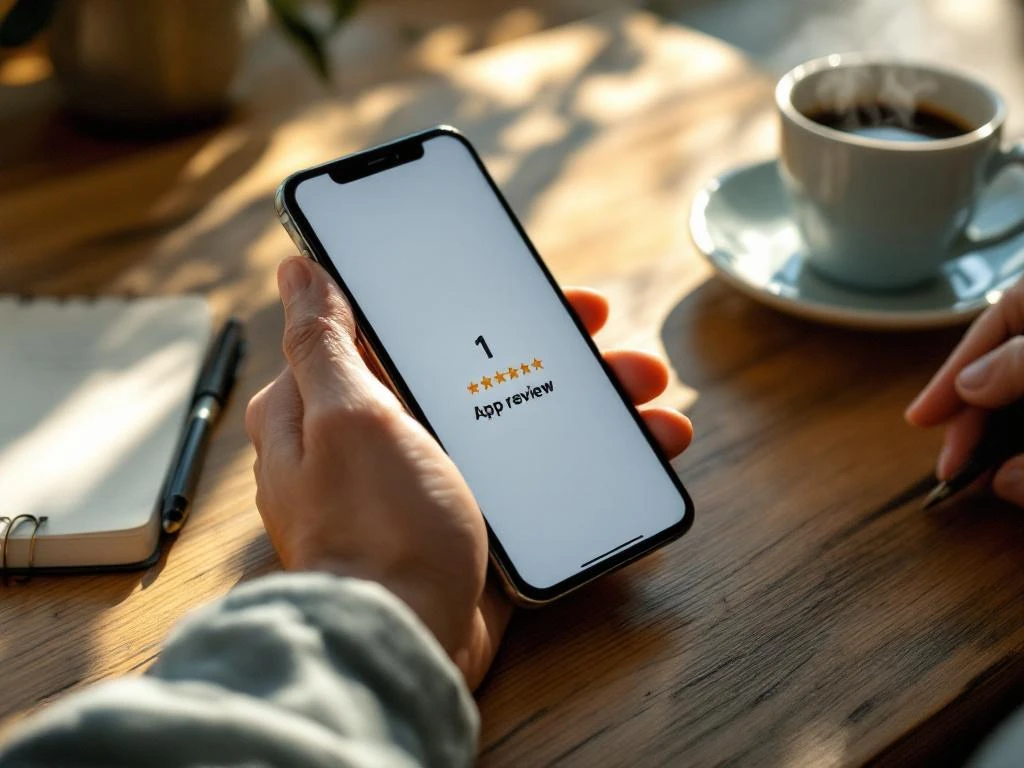
Responding to negative app store reviews requires a professional, empathetic approach that acknowledges user concerns and demonstrates your commitment to improvement. You should respond promptly, typically within 24–48 hours, using a tone that’s understanding rather than defensive. Your response should thank the user for their feedback, address their specific issue, and outline the steps you’re taking to resolve the problem.
What should you say when responding to negative app reviews?
Your response should start with gratitude, acknowledge the specific issue, and provide a solution or next steps. Begin with “Thank you for your feedback” or “We appreciate you taking the time to review our app.” This shows you value user input rather than dismissing their concerns.
Address the user’s specific complaint directly. If they mention crashes, slow loading, or missing features, reference these exact issues in your response. This demonstrates that you’ve actually read their review rather than sending a generic reply. Avoid technical jargon that might confuse users further.
Provide a clear action plan in your response. Tell users what you’re doing to fix the problem, when they can expect an update, or how they can get additional help. Include contact information for customer support if the issue requires personalized assistance.
Keep your tone professional but human. Avoid corporate speak or overly formal language that creates distance between you and the user. Write as if you’re speaking to a friend who’s frustrated with your product. This approach often turns angry users into understanding customers.
How quickly should you respond to negative app store reviews?
You should respond to negative reviews within 24–48 hours for optimal impact. Quick responses show active customer care and can prevent other potential users from being discouraged by unaddressed complaints. Both the App Store and Google Play algorithms favor apps with responsive developers.
Response speed affects how other users perceive your app’s reliability and customer service quality. When users see recent negative reviews with thoughtful responses, they’re more likely to download your app because they trust you’ll address any issues they encounter.
Different app stores have varying expectations for response times. Google Play users often expect faster responses than App Store users, partly due to the platform’s more open communication culture. However, maintaining consistency across both platforms builds a stronger overall reputation.
Set up review monitoring systems to track new feedback efficiently. Use tools that send notifications when new reviews appear, or designate specific team members to check reviews daily. This prevents negative reviews from sitting unaddressed for extended periods.
If you can’t provide a complete solution immediately, acknowledge the review quickly and follow up with detailed information once it’s available. A brief “Thank you for this feedback, we’re investigating and will update you within 24 hours” shows immediate attention to user concerns.
What’s the difference between responding to technical complaints versus service complaints?
Technical complaints require specific acknowledgment of the bug or functionality issue, while service complaints need empathy and process explanations. Technical responses should include timeline estimates for fixes, while service responses should focus on improving the user experience and preventing similar issues.
For technical issues like crashes, slow performance, or broken features, be specific about what you’re investigating. Mention if you need additional device information or if the fix will come in the next app update. Users appreciate transparency about technical challenges and realistic timelines.
Service complaints about customer support, billing, or user experience require a different approach. Focus on understanding the user’s frustration and explaining how you’ll improve the process. These responses often benefit from offering direct contact with support teams.
Technical responses can be more straightforward: “We’ve identified the login issue affecting Android 12 users and will release a fix in version 2.3.1 next week.” Service responses need more emotional intelligence: “We understand how frustrating this billing confusion must be, and we’re reviewing our payment process to make it clearer.”
Both types of complaints benefit from follow-up communication. For technical issues, update users when fixes are released. For service issues, check back to ensure their experience has improved after your intervention.
Should you respond to every negative review or only specific ones?
You should respond to most negative reviews, but prioritize based on the review’s content, constructiveness, and potential impact on other users. Focus your efforts on detailed feedback that highlights genuine issues rather than vague complaints or reviews that seem fake or malicious.
Respond to reviews that mention specific problems, provide detailed feedback, or come from users who seem genuinely invested in your app’s improvement. These responses demonstrate to other potential users that you take feedback seriously and actively work to resolve issues.
Skip responses to reviews that are clearly spam, contain inappropriate language, or provide no actionable feedback. Reviews like “This app sucks” or “Waste of time” without explanation don’t warrant responses because they don’t help other users understand specific concerns.
Consider the reviewer’s history when possible. Users with multiple thoughtful reviews across different apps often provide valuable feedback worth addressing publicly. Single-review accounts with generic complaints might be a lower priority unless they highlight widespread issues.
Allocate your response resources strategically. If you receive many similar complaints about the same issue, respond to a few detailed ones and use those responses to address the broader problem in your app updates and communication strategy.
How do you turn negative reviews into positive outcomes for your app?
Transform negative feedback into app improvements by treating reviews as free user research that identifies pain points and feature gaps. Create a systematic process for collecting, categorizing, and implementing feedback-driven changes, then communicate these improvements back to your user base through update notes and follow-up responses.
Use negative reviews to prioritize your development roadmap. When multiple users mention the same issue, it becomes a high-priority fix that can significantly improve user satisfaction. This approach ensures you’re building features users actually want rather than guessing at improvements.
Create a feedback loop by updating users when you’ve addressed their concerns. Reply to old negative reviews when you’ve fixed reported issues, letting both the original reviewer and potential new users know you’ve made improvements. This shows ongoing commitment to user satisfaction.
Document common complaints to identify patterns in user behavior and app usage. These insights often reveal opportunities for better onboarding, clearer instructions, or simplified workflows that prevent future negative experiences.
Leverage improved responses and fixes as part of your App Store Optimization strategy. Better reviews and higher ratings directly impact your app’s visibility and conversion rates in app store search results. When you consistently address user feedback, your overall rating improves, leading to more organic downloads and sustainable growth.
The most successful apps treat negative reviews as opportunities rather than setbacks. We’ve seen countless examples where thoughtful responses to criticism create loyal users who become advocates for the app. By maintaining this perspective and implementing systematic feedback processes, you transform your biggest critics into your most valuable sources of improvement insights.
Frequently Asked Questions
How do I handle a negative review that contains false information about my app?
Address false claims professionally by providing accurate information without being confrontational. Focus on facts: ‘We’d like to clarify that our app does include [mentioned feature] in the Settings menu under [specific location].’ Invite the user to contact support directly for a walkthrough, and consider this an opportunity to improve your app’s discoverability of features.
What should I do if a user updates their negative review to positive after I respond?
Thank the user publicly for giving your app another chance and acknowledge their updated feedback. This creates a powerful testimonial showing other potential users that you genuinely resolve issues. Consider featuring these turnaround stories in your marketing materials as social proof of your commitment to customer satisfaction.
How can I prevent getting overwhelmed by negative reviews during a major app update?
Prepare template responses for common post-update issues and monitor reviews closely in the first 48 hours after release. Create a rapid response team and prioritize fixing critical bugs immediately. Communicate proactively through in-app messages about known issues and expected fixes to reduce review volume.
Is it worth responding to negative reviews on apps that have thousands of reviews already?
Yes, especially for recent reviews that appear prominently to new users. Focus on the most recent and detailed negative reviews since these have the highest impact on potential downloads. Even with high review volumes, consistent responses to substantive feedback show active maintenance and care for user experience.
How do I respond when users threaten to leave more negative reviews or contact media?
Stay professional and focus on resolving their specific issue rather than addressing the threat. Offer direct contact with senior support staff or management: ‘We take your concerns seriously and would like to connect you directly with our customer success manager.’ Most users just want to feel heard and have their problem solved.
Should I offer compensation or refunds in my public review responses?
Avoid offering specific compensation in public responses, as this can set expectations for other users. Instead, invite them to contact support privately: ‘Please reach out to our support team at [email] so we can make this right for you.’ Handle compensation discussions through private channels to maintain flexibility and prevent setting public precedents.
How can I track whether my review responses are actually improving my app's rating over time?
Monitor your average rating trends weekly and correlate them with your response activity using app analytics tools. Track metrics like response rate to negative reviews, time between negative review and response, and follow-up rating changes from users you’ve responded to. Most app store analytics platforms provide rating trend data that helps measure the impact of your review management efforts.
Related Articles
- How do I audit my app's tracking and attribution setup?
- How do I see all my app ad spend in one place?
- Why do I have too many dashboards for app marketing?
- How does app store optimization help advertise your app?
- 9 proven ways to advertise your app and boost downloads
- What is frequency capping and why does it matter in app advertising?
- How do you advertise an app to improve conversion rates?
- How do you measure app store optimization success?
- How do you optimize an app title for the app store?
- How do keywords affect app store rankings?


 EN
EN  NL
NL 