

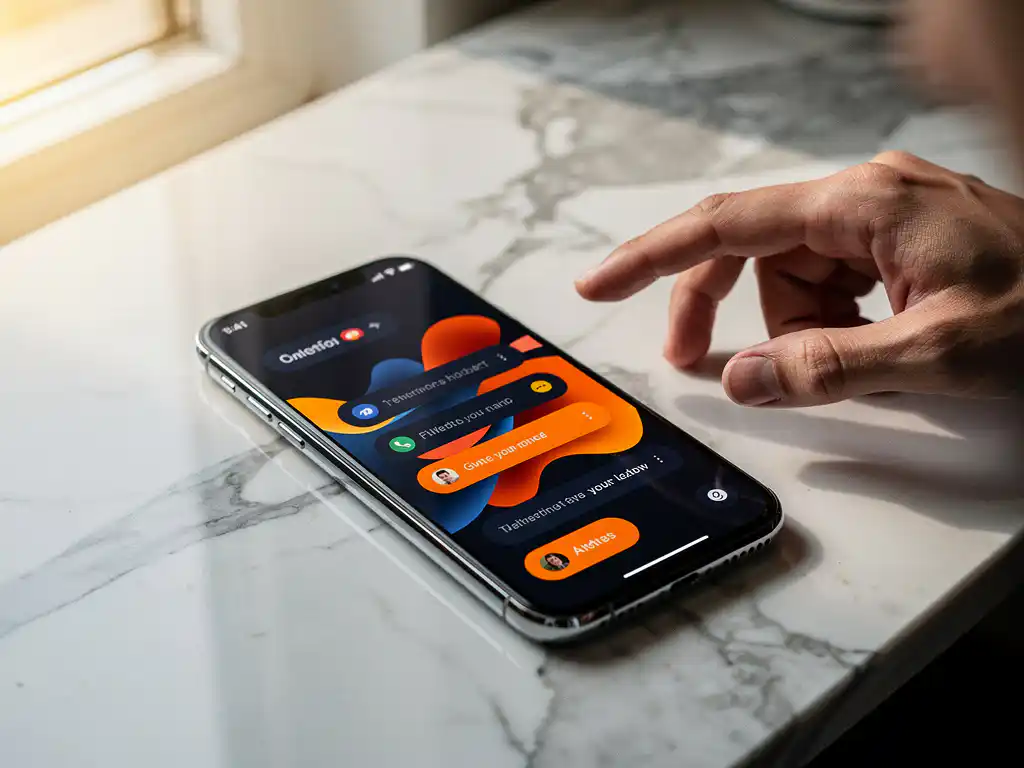
Push notifications are one of the most powerful tools for promoting your app and bringing users back when they’ve gone quiet. They let you reach users directly on their phones, even when your app isn’t open, making them ideal for re-engagement campaigns. The key is to use them strategically to deliver value—not just noise—so users actually want to interact with your messages.
When done right, push notifications can dramatically boost your app’s retention rates and user lifetime value. Let’s explore how to set up campaigns that users actually appreciate and respond to.
What Are Push Notifications and How Do They Work for App Advertising?
Push notifications are short messages sent directly to users’ devices that appear on their lock screen or notification panel, even when your app isn’t actively running. They work through platform-specific services like Apple Push Notification service (APNs) for iOS and Firebase Cloud Messaging (FCM) for Android, creating a direct communication channel between your app and its users.
For app advertising, push notifications serve as your most direct marketing channel. Unlike email or social media ads, they bypass external platforms and reach users instantly on their most personal device. You can use them to announce new features, promote special offers, remind users about abandoned actions, or simply encourage app usage during peak engagement times.
The technical process involves your app requesting permission from users and then registering their devices with push notification services. Once registered, you can send targeted messages based on user behavior, preferences, location, or any other data points you’ve collected. This makes push notifications incredibly versatile for both broad campaigns and highly personalized messaging.
What’s the Difference Between Push Notifications and In-App Messages?
Push notifications appear on users’ devices even when your app is closed, while in-app messages display only when users are actively using your app. Push notifications work outside your app environment, making them ideal for re-engagement, whereas in-app messages excel at guiding active users through specific actions or features.
Push notifications have limited space and formatting options, typically allowing only a title, body text, and sometimes an image or action buttons. In-app messages offer much more creative freedom, with full-screen takeovers, banners, modals, and rich media content. This makes push notifications better for quick, actionable messages, while in-app messages work well for detailed explanations or complex offers.
The timing strategy differs significantly, too. Push notifications interrupt users’ daily activities, so they need to provide immediate value to avoid being seen as spam. In-app messages reach users when they’re already engaged, giving you more flexibility to educate, upsell, or gather feedback without the same pressure for urgency.
How Do You Set Up Push Notification Campaigns for Maximum Engagement?
Start by segmenting your users based on behavior patterns, preferences, and engagement levels. Then create targeted campaigns that speak directly to each group’s needs and interests. Set up automated triggers based on specific user actions or time intervals, and always test send times to find when your audience is most responsive.
First, establish clear campaign goals. Are you trying to bring back dormant users, increase daily active usage, or drive specific conversions? Your goal determines everything from message content to timing strategy. Create user segments such as new users (first week), regular users (daily/weekly active), and lapsed users (haven’t opened the app in 7+ days).
Configure your campaigns with smart timing based on users’ time zones and historical engagement data. Most apps see better results when sending notifications during commute hours (8–9 a.m., 5–7 p.m.) or evening leisure time (7–9 p.m.), but your audience may be different. Set frequency caps to avoid overwhelming users—typically no more than 2–3 notifications per week unless they’re highly engaged.
Use A/B testing for every campaign element, including message copy, send times, and call-to-action buttons. Test one variable at a time to get clear insights into what drives engagement. Set up conversion tracking to measure not just open rates, but the in-app actions that matter to your business.
What Types of Push Notifications Drive the Best Re-engagement Results?
Personalized notifications based on user behavior and preferences consistently outperform generic messages, with triggered notifications (sent based on specific user actions) showing 3–10 times higher engagement than scheduled broadcasts. The most effective types include abandoned-cart reminders, achievement celebrations, personalized content recommendations, and time-sensitive offers.
Behavioral trigger notifications work exceptionally well because they’re contextually relevant. When users abandon a purchase, start but don’t finish onboarding, or haven’t used a key feature, these moments present natural re-engagement opportunities. The key is to time these messages appropriately—not immediately after the action, but when users are likely to be receptive.
Location-based notifications can be powerful for relevant apps, such as reminding users about nearby deals or services when they’re in specific areas. Social-proof notifications, such as “Your friend just achieved X” or “Users like you love this feature,” tap into natural competitive instincts and FOMO.
Value-driven notifications that offer genuine utility perform consistently well. This includes weather alerts for travel apps, price-drop notifications for shopping apps, or content updates for news apps. The common thread is providing information users actually want, not just promoting your app.
How Do You Write Push Notifications That Users Actually Click?
Write push notifications using clear, action-oriented language that immediately communicates value to the user. Keep messages under 50 characters for the title and 120 characters for the body to ensure full visibility across devices. Start with a compelling benefit or an urgent reason to open your app, then include a specific call to action.
Your title should grab attention while clearly stating what’s in it for the user. Instead of “New Update Available,” try “Unlock 3 new features you requested.” Replace generic phrases like “Check it out” with specific actions like “View your personalized deals” or “Complete your 5-minute workout.”
Create urgency without being manipulative. Time-limited offers work well, but only if they’re genuine. Phrases like “ending tonight,” “limited spots,” or “while supplies last” drive action when they’re truthful. Personal urgency works, too, such as “Your streak is about to break” or “Your friend is waiting for your move.”
Use conversational, friendly language that matches your app’s personality. Avoid corporate jargon or an overly formal tone. Questions can be effective: “Ready for today’s challenge?” or “Miss us?” Feel free to use emojis sparingly if they fit your brand, as they can increase open rates by making notifications more visually appealing in crowded notification feeds.
How Do You Measure Push Notification Campaign Success?
Track delivery rates, open rates, and conversion rates as your primary metrics, but focus most on conversion rates since they measure actual business impact rather than just engagement. Set up attribution tracking to measure how push notifications influence in-app purchases, feature adoption, or other valuable user actions within 24–48 hours of receiving the message.
Delivery rate shows how many notifications actually reached users’ devices, which helps identify technical issues with your push notification setup. Industry averages hover around 90–95% for properly configured systems. Open rates typically range from 2–8% depending on your industry and message quality, but this metric alone doesn’t tell the full story.
Conversion tracking requires connecting your push notification platform with your app analytics. Set up event tracking for key actions like app opens, purchases, feature usage, or content consumption that happen after users tap your notifications. This shows the real business value of your campaigns.
Monitor unsubscribe rates and app deletion rates following your campaigns. If these spike, your notifications are likely too frequent or irrelevant. We help apps set up comprehensive tracking systems that connect push notification performance with overall app growth metrics, giving you a complete picture of how re-engagement campaigns impact user lifetime value and retention rates.
Frequently Asked Questions
How often should I send push notifications without annoying my users?
Most successful apps limit push notifications to 2-3 per week for average users, with higher frequency only for highly engaged users who have shown they respond positively. Monitor your unsubscribe rates closely—if they exceed 2-3% after a campaign, you’re likely sending too many. Consider implementing a preference center where users can choose their notification frequency.
What should I do if my push notification open rates are below 2%?
First, audit your message timing and content relevance. Test sending notifications during different hours and days to find your audience’s peak engagement times. Review your segmentation strategy—generic messages to all users typically perform poorly. Also check if you’re asking for notification permission at the right moment in your user journey, as poorly-timed permission requests lead to low opt-in rates.
How do I get more users to opt-in to push notifications in the first place?
Don’t ask for notification permission immediately when users first open your app. Instead, wait until they’ve experienced your app’s value and then explain the specific benefits they’ll receive from notifications. Use a pre-permission prompt that explains what types of messages you’ll send, then trigger the system permission dialog only after they agree.
Can I recover users who have disabled push notifications for my app?
Once users disable notifications at the system level, you can’t send them push notifications, but you can re-engage them through in-app messages when they do use your app. Focus on providing exceptional value during their app sessions, then occasionally (not frequently) remind them about the benefits of enabling notifications. Some apps also use email or SMS as alternative channels for critical updates.
What's the best time to send push notifications for maximum engagement?
While general best practices suggest commute hours (8-9 AM, 5-7 PM) and evening leisure time (7-9 PM), your specific audience may behave differently. Test different time slots for at least two weeks and analyze your open rates by hour and day. Consider your app category too—fitness apps might perform better in early morning, while entertainment apps may see better evening engagement.
How do I handle push notifications across different time zones?
Always send notifications based on each user’s local time zone rather than your company’s time zone. Most push notification platforms offer automatic time zone detection and scheduling. If you don’t have users’ specific locations, use their device settings or IP-based location data to determine appropriate send times. This ensures your 8 AM message actually reaches users at 8 AM in their location.
Should I use rich media like images in my push notifications?
Rich media can increase engagement rates by 25-30% when used strategically, but avoid using it for every notification as it increases data usage and can slow delivery. Use images for product announcements, visual content updates, or promotional offers where the image adds clear value. Ensure images are optimized for mobile viewing and include alt text for accessibility.
Related Articles
- 5 reasons you can't trust your app analytics dashboard
- How do I know which ad channel is actually driving app installs?
- 5 ways to see app ad spend and revenue in one place
- 6 reasons every ad channel claims credit for the same app install
- Why does my app ad open the wrong screen in-app?
- What is deep linking and why does it matter for app advertising?
- How do you advertise an app using performance-based marketing?
- 7 common app store optimization mistakes companies make
- 4 steps to conduct an app store optimization audit
- What factors influence app store rankings?


 EN
EN  NL
NL 