

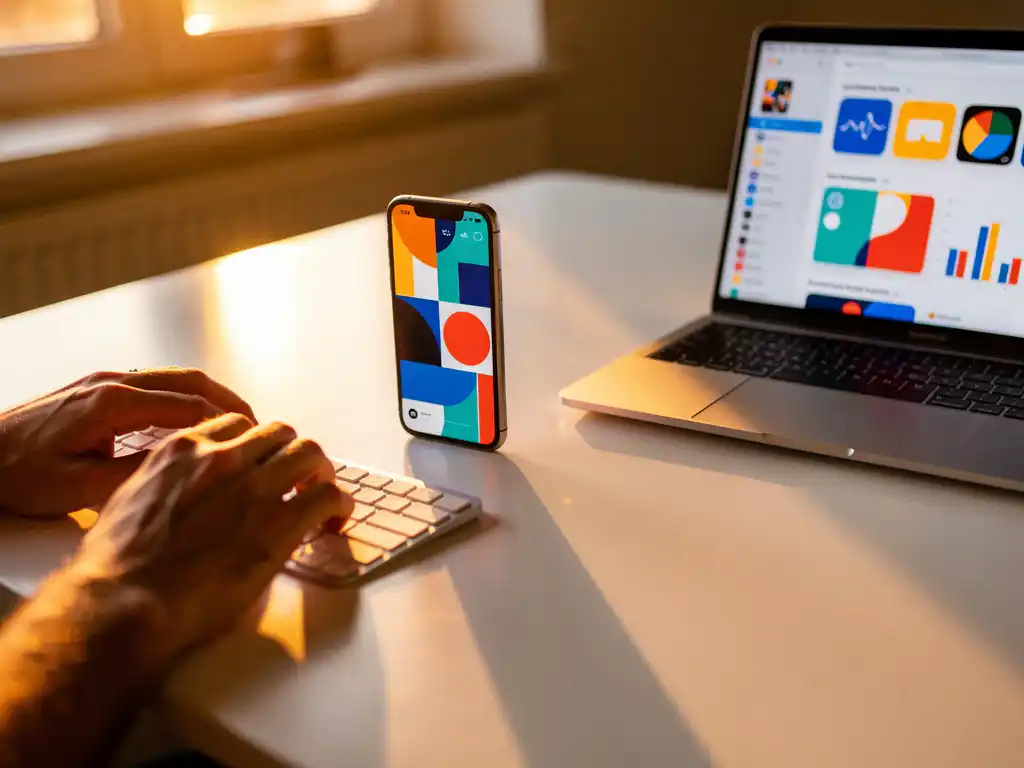
Custom product pages are specialized App Store pages that let you create targeted versions of your app listing for different audiences or campaigns. They allow you to customize screenshots, app previews, and promotional text while keeping your main product page unchanged. This means you can advertise your app more effectively by showing relevant features to specific user groups through Apple Search Ads campaigns.
Think of custom product pages as your app’s marketing chameleon. Instead of showing the same generic listing to everyone, you can create tailored experiences that speak directly to different user segments, making your advertising efforts much more effective.
What Are Custom Product Pages and How Do They Work?
Custom product pages are alternate versions of your App Store listing that you can create specifically for advertising campaigns. They work by allowing you to modify visual elements and promotional text while maintaining your app’s core information, such as its name, subtitle, and description.
When you run Apple Search Ads campaigns, you can direct users to these custom pages instead of your main product page. This gives you the flexibility to highlight different app features depending on your target audience. For example, if you’re advertising a fitness app to runners, you can create a custom page showcasing running features, while another page might focus on yoga content for wellness enthusiasts.
The system works seamlessly within Apple’s ecosystem. Users who click on your ads land on these tailored pages and see content that matches what attracted them to click in the first place. This creates a more cohesive user experience from ad to download.
Why Should App Developers Use Custom Product Pages for Advertising?
Custom product pages can significantly improve conversion rates by showing users exactly what they’re looking for. When your advertising message matches your product page content, users are more likely to download your app because they see immediate relevance to their needs.
The main benefit lies in precise audience targeting. Different user segments care about different features, and custom pages let you speak their language. A productivity app might emphasize collaboration features for business users while highlighting personal organization tools for individual users.
You also gain valuable testing opportunities. By creating multiple custom pages and measuring their performance, you learn which messaging resonates best with different audiences. This data helps you optimize both your advertising campaigns and your main product page over time.
How Do You Create Custom Product Pages in App Store Connect?
Creating custom product pages happens directly in App Store Connect through the Product Page Optimization section. You need an active app with at least one approved version to access this feature.
Start by navigating to your app in App Store Connect, then select “Product Page Optimization” from the left menu. Click “Create Treatment” to begin building your custom page. You’ll choose which elements to customize and upload your new assets.
The process involves several steps. First, you’ll select your target localization and give your treatment a descriptive name. Then you’ll upload new screenshots and app previews and write new promotional text. Apple reviews each custom page before approval, which typically takes 24–48 hours.
Once approved, you can use these pages in your Apple Search Ads campaigns by selecting them during campaign setup. You can create up to 35 custom product pages per app, giving you plenty of room for different audience segments and testing variations.
What Elements Can You Customize on App Store Product Pages?
You can customize three main elements on custom product pages: screenshots, app previews, and promotional text. These are the elements that most directly influence download decisions.
Screenshots are your most powerful customization tool. You can upload completely different sets of images that highlight specific features or use cases. This means showing different app screens, emphasizing different benefits, or even using different visual styles to appeal to various audiences.
App previews work similarly to screenshots but use video content. You can create different preview videos that demonstrate specific workflows or features relevant to your target audience. The promotional text section lets you craft different headlines and descriptions that speak directly to specific user needs or pain points.
What you cannot customize includes your app name, subtitle, main description, ratings and reviews, and app icon. These elements remain consistent across all versions to maintain your app’s core identity and prevent confusion.
How Do Custom Product Pages Improve App Advertising Campaign Performance?
Custom product pages improve campaign performance by creating message consistency between your ads and landing pages. When users see relevant content that matches their search intent, conversion rates typically increase by 20–30% compared to generic product pages.
The improvement comes from reduced friction in the user journey. If someone searches for “budget tracking app” and your ad highlights budgeting features, they expect to see budgeting content on your product page. Custom pages eliminate the disconnect that occurs when users land on generic pages that don’t immediately address their specific needs.
You also gain better campaign optimization data. By testing different custom pages against the same ad campaigns, you can identify which combinations perform best. This helps you refine both your advertising targeting and your product positioning over time.
What Are the Best Practices for Optimizing Custom Product Pages?
Focus on one clear value proposition per custom page rather than trying to showcase everything your app does. Users make download decisions quickly, so immediate relevance matters more than comprehensive feature lists.
Match your visual hierarchy to user priorities. Put the most important screenshots first, and make sure your promotional text directly addresses the problem your target audience wants to solve. Use clear, benefit-focused language rather than feature descriptions.
Test systematically by changing one element at a time. Create variations of your most promising custom pages to identify what drives the highest conversion rates. Pay attention to which screenshots get the most engagement and which promotional text generates the most downloads.
Keep your custom pages updated as your app evolves. Outdated screenshots or promotional text can hurt conversion rates, especially if they show features that no longer exist or omit important new functionality that users expect to see.
When you’re ready to take your app advertising to the next level, consider working with specialists who understand the nuances of app marketing. At Wuzzon, we help apps optimize their entire growth strategy, from custom product pages to comprehensive performance marketing campaigns that drive sustainable user acquisition across all major platforms.
Frequently Asked Questions
How long does it take for Apple to approve custom product pages?
Apple typically reviews and approves custom product pages within 24-48 hours. However, during busy periods or if your content requires additional review, it may take up to 7 days. Plan ahead when launching time-sensitive campaigns to ensure your custom pages are ready.
Can I use custom product pages for organic App Store traffic or only for paid ads?
Custom product pages are exclusively designed for Apple Search Ads campaigns and cannot be accessed through organic App Store browsing. Users will only see these pages when they click on your paid advertisements, making them purely a paid marketing tool.
What happens if my custom product page gets rejected by Apple?
If Apple rejects your custom product page, you’ll receive feedback explaining the reason for rejection. Common issues include misleading screenshots, inappropriate content, or technical problems with uploaded assets. You can revise and resubmit your page addressing the specific concerns raised.
How do I measure the performance of different custom product pages?
You can track custom product page performance through Apple Search Ads reporting and App Store Connect analytics. Key metrics include conversion rates, impression share, and cost per acquisition. Compare these metrics across different custom pages to identify your highest-performing variations.
Should I create separate custom product pages for different countries or languages?
Yes, you should create localized custom product pages for different markets when possible. Cultural preferences, language nuances, and local competitors vary significantly across regions. Tailoring your screenshots, app previews, and promotional text to local audiences typically improves conversion rates substantially.
What's the biggest mistake developers make when creating custom product pages?
The most common mistake is trying to showcase too many features on a single custom page instead of focusing on one clear value proposition. This dilutes your message and confuses users. Each custom page should target a specific audience segment with laser-focused messaging that addresses their particular needs.
Can I A/B test custom product pages against my main product page?
While you can’t directly A/B test custom pages against your main product page within Apple’s system, you can compare performance metrics between campaigns using custom pages versus those directing to your main page. This indirect comparison helps you understand which approach works better for specific audience segments.
Related Articles
- 5 signs your app attribution data is wrong
- How do I know if we're paying for app tracking features we don't use?
- 4 reasons cost per app install isn't enough
- 4 common causes of inaccurate iOS app tracking
- What is attribution tracking in mobile app advertising?
- How much does it cost to advertise your app effectively?
- 9 proven ways to advertise your app and boost downloads
- How do you advertise an app across iOS and Android?
- How does the app store algorithm determine rankings?
- How long does app store optimization take to show results?



 EN
EN  NL
NL 