

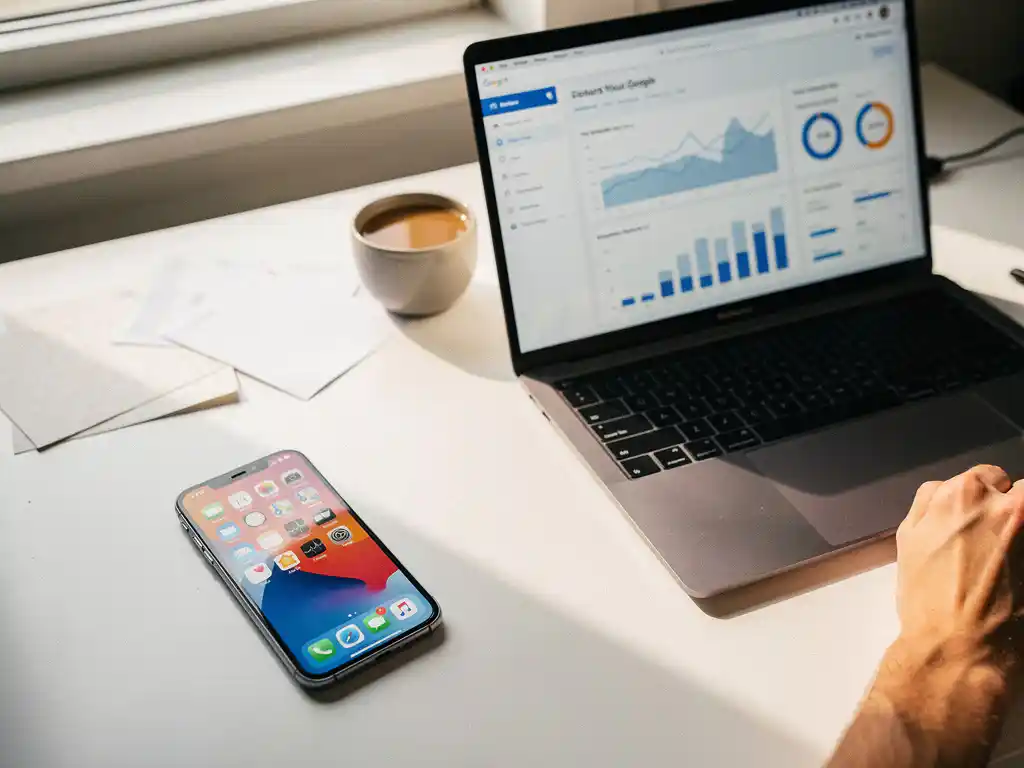
Google App Campaigns offer a powerful way to advertise your app across Google’s entire ecosystem, including Search, the Play Store, YouTube, and the Display Network. These automated campaigns use machine learning to find users most likely to install and engage with your app, making them one of the most effective channels for app promotion. You simply provide your app details, creative assets, and budget, and Google’s algorithms handle the rest.
Whether you’re launching a new app or scaling an existing one, Google App Campaigns can help you reach your target audience efficiently. Let’s explore how these campaigns work and how you can set them up for success.
What are Google App Campaigns and how do they work?
Google App Campaigns are automated advertising campaigns designed specifically for mobile app promotion across Google’s network of platforms. They use machine learning to automatically optimize ad placements, bidding, and targeting to find users most likely to install your app or take specific actions within it.
The campaigns work by analyzing your app’s performance data and user behavior patterns to identify high-value audiences. Google’s algorithm tests different combinations of your provided assets (headlines, descriptions, images, videos) across various placements, including Google Search, the Google Play Store, YouTube, Gmail, and the Google Display Network. The system continuously learns from user interactions and adjusts targeting and bidding in real time to improve performance.
You provide Google with your app information, creative assets, audience signals, and campaign goals. The platform then automatically creates and serves ads in the formats that work best for each placement, whether that’s a search ad, a video ad, or a display banner.
How much do Google App Campaigns cost and what’s the pricing model?
Google App Campaigns use a cost-per-action (CPA) or cost-per-install (CPI) pricing model, where you pay only when users complete your desired action, such as installing your app or making an in-app purchase. You set a target CPA bid, which tells Google the maximum amount you’re willing to pay for each conversion.
Campaign costs vary significantly based on factors such as your app category, target audience, geographic location, and competition levels. Gaming apps typically see higher costs due to intense competition, while niche business apps might achieve lower CPIs. Your actual costs will depend on the quality of your app store listing, your creative assets, and how well your target audience responds to your ads.
Google recommends starting with a daily budget of at least 50 times your target CPI to give the algorithm enough data to optimize effectively. For example, if you’re targeting a $5 CPI, you should budget at least $250 per day. This ensures the campaign has sufficient volume to learn and improve performance over time.
How do you set up your first Google App Campaign?
Setting up your first Google App Campaign requires a Google Ads account, a published app on Google Play or the App Store, and properly configured app tracking. Start by selecting “App” as your campaign type in Google Ads and choosing your campaign goal (installs, in-app actions, or pre-registration).
Begin by entering your app’s store URL, which allows Google to automatically pull basic information about your app. Next, define your target locations and languages based on where your ideal users are located. Set your campaign budget and target cost per action based on your app’s lifetime value and acquisition goals.
Upload your creative assets, including headlines (up to 5), descriptions (up to 5), images (up to 20), and videos (up to 20). Google will automatically test different combinations to find the best-performing ads. Finally, configure your conversion tracking using Firebase, third-party attribution platforms such as Adjust or AppsFlyer, or Google Analytics to measure campaign success accurately.
What targeting options are available in Google App Campaigns?
Google App Campaigns offer several targeting options, including demographic targeting (age, gender, parental status), geographic targeting, device targeting (specific models, operating systems), and audience targeting based on interests, behaviors, and users similar to your existing app users.
You can target users based on their interests and habits, such as frequent travelers for a travel app or fitness enthusiasts for a health app. Google also allows you to create custom audiences based on your existing user data or target users similar to your highest-value customers. Device targeting lets you focus on specific phone models, operating system versions, or network connection types.
Advanced targeting options include targeting users who have interacted with your brand before, users of competitor apps, or people searching for specific keywords related to your app category. You can also exclude certain audiences, such as existing users, to focus your budget on new user acquisition.
How do you optimize Google App Campaigns for better performance?
Optimizing Google App Campaigns focuses on providing high-quality creative assets, refining your target audience, and ensuring proper conversion tracking. Start by testing multiple variations of headlines, descriptions, images, and videos to give Google’s algorithm more options to work with and to find winning combinations.
Monitor your campaign’s learning period, which typically takes 2–4 weeks for Google to gather enough data and optimize performance. Avoid making frequent changes during this period, as it can reset the learning process. Instead, focus on adding new creative assets and expanding your audience reach gradually.
Analyze performance data to identify which creative elements, audiences, and placements drive the highest-quality users. Use this insight to create more similar assets and refine your targeting. Pay attention to post-install metrics such as retention rates and in-app purchases to ensure you’re acquiring valuable users, not just generating high install volumes.
What metrics should you track in Google App Campaigns?
Track key performance indicators, including install volume, cost per install (CPI), conversion rate, return on ad spend (ROAS), and post-install user quality metrics such as Day 1, Day 7, and Day 30 retention rates. These metrics help you understand both campaign efficiency and user value.
Monitor your campaign’s impression share to understand how much of your potential audience you’re reaching and to identify opportunities to increase budget or improve ad quality. Track conversion rates across different audience segments to identify your highest-performing user groups and allocate budget accordingly.
Post-install metrics are crucial for measuring true campaign success. Track in-app events such as purchases, level completions, or subscription sign-ups to calculate the lifetime value of acquired users. Use cohort analysis to compare user quality across different campaigns, audiences, and time periods. This data helps you optimize for users who not only install your app but also engage meaningfully with it over time.
Ready to take your app marketing to the next level? We specialize in creating and optimizing Google App Campaigns that drive real results. Our team combines years of experience with data-driven strategies to help you acquire high-quality users efficiently. Learn more about our performance marketing services and discover how we can help scale your app’s growth.
Frequently Asked Questions
How long should I wait before making changes to my Google App Campaign?
You should wait at least 2-4 weeks before making significant changes to allow Google’s machine learning algorithm to complete its learning phase. Making frequent adjustments during this period can reset the optimization process and hurt performance. Focus on adding new creative assets rather than changing core settings like budget or targeting during the initial learning period.
What happens if my Google App Campaign isn't spending my full daily budget?
Limited spending usually indicates that your target CPA is too low, your audience is too narrow, or your creative assets aren’t performing well. Try gradually increasing your target CPA by 10-20%, expanding your geographic or demographic targeting, or adding fresh creative assets. Google may also be limiting spend if your app store listing needs improvement or if there’s insufficient conversion data.
Can I run Google App Campaigns for iOS apps, or are they only for Android?
Google App Campaigns work for both iOS and Android apps. Simply enter your App Store URL when setting up the campaign, just as you would with a Google Play Store URL. The campaign will automatically optimize across Google’s network to drive installs from iOS users, though you’ll need to ensure proper conversion tracking is set up through your attribution platform.
Should I pause my Google App Campaign if the cost per install is higher than my target?
Don’t pause immediately if your CPI is above target during the first few weeks, as this is normal during the learning phase. Instead, analyze the quality of users you’re acquiring by checking retention rates and in-app engagement. If users are high-quality but expensive, consider increasing your target CPA. Only pause if you’re consistently getting poor-quality users after the learning period.
How do I know if my creative assets are performing well in Google App Campaigns?
Check the asset performance report in Google Ads to see which headlines, descriptions, images, and videos are getting the most impressions and driving conversions. Google automatically shows your best-performing assets more frequently. Look for assets marked as ‘Good’ or ‘Best’ and create similar variations. Remove or replace assets consistently marked as ‘Poor’ after they’ve had sufficient time to gather data.
What's the biggest mistake beginners make with Google App Campaigns?
The most common mistake is setting unrealistic target CPAs that are too low for the market, causing campaigns to barely spend or acquire low-quality users. Many beginners also provide insufficient creative assets (only 1-2 headlines or images) which limits Google’s ability to optimize. Always research competitor pricing, provide diverse creative assets, and be patient during the learning phase.
How can I reduce my Google App Campaign costs without hurting performance?
Focus on improving your app store listing with better screenshots, descriptions, and ratings to increase conversion rates from ad clicks to installs. Add negative audience targeting to exclude existing users, optimize your creative assets based on performance data, and consider geographic targeting to focus on regions with lower competition. Improving post-install user quality can also justify higher CPIs by increasing lifetime value.
Related Articles
- Why did my numbers change without any changes made?
- Branch vs AppsFlyer: app deep linking compared
- How do I know if our app measurement setup fits our company size?
- Should you advertise your app before or after launch?
- 7 top mistakes when you advertise your app to avoid
- 9 proven ways to advertise your app and boost downloads
- How does SKAdNetwork affect the way you advertise your app?
- How do you advertise an app to improve conversion rates?
- How do app store ratings affect rankings?
- What is the difference between an app subtitle and short description?



 EN
EN  NL
NL 