

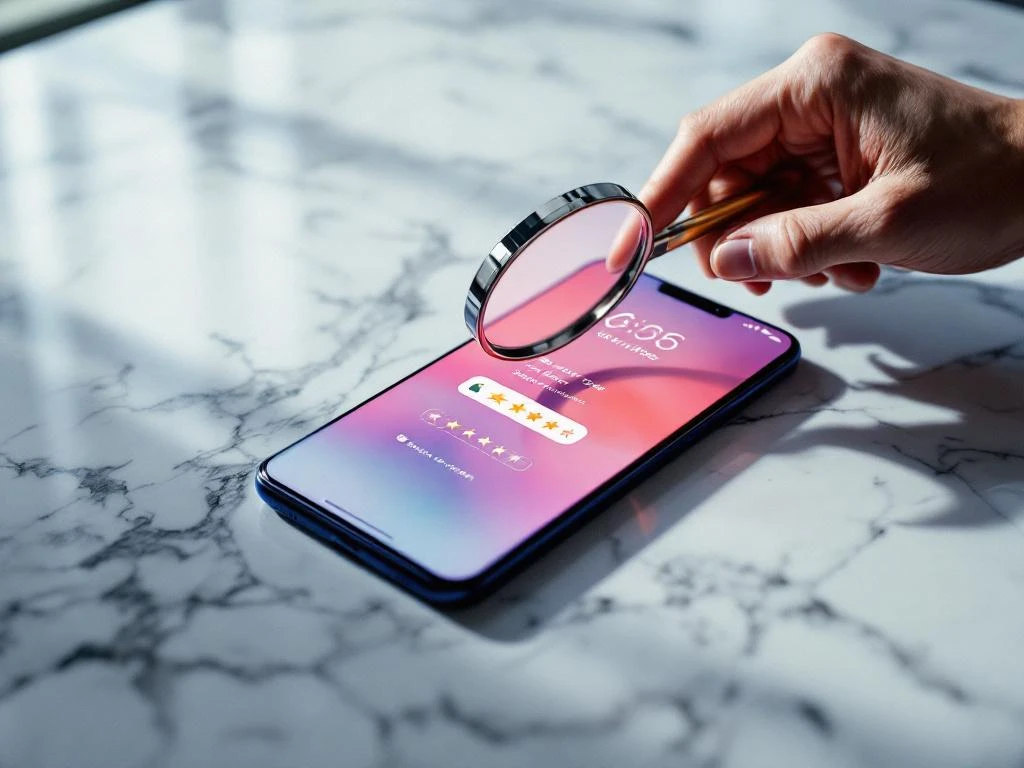
App store reputation management is the practice of monitoring, maintaining, and improving your mobile app’s online reputation within app stores like Google Play and Apple’s App Store. Unlike general online reputation management, it specifically focuses on app store reviews, ratings, and their direct impact on app visibility and downloads. This specialized approach helps app developers and businesses maintain positive user perceptions while addressing negative feedback that could harm their app’s success.
What exactly is app store reputation management?
App store reputation management involves actively monitoring and responding to user reviews, maintaining high star ratings, and implementing strategies to improve your app’s overall perception within app stores. This practice differs from general online reputation management because it operates within the specific ecosystems of Google Play and the Apple App Store, where reviews and ratings directly influence algorithmic rankings and user download decisions.
The focus extends beyond simple review monitoring to include proactive reputation building through user experience improvements and strategic review solicitation. App store reputation management requires understanding how each platform’s algorithm weighs user feedback and how potential users interpret ratings when making download decisions.
This specialized field addresses unique challenges that mobile apps face, including the immediate visibility of ratings on app store listings and the way negative reviews can quickly impact download rates. Your app’s reputation directly affects its discoverability, making reputation management an integral part of app store optimization strategies.
Why do app store reviews and ratings matter so much?
App store reviews and ratings significantly impact your app’s visibility because both Google Play and Apple’s App Store algorithms use them as ranking factors. Apps with higher ratings and more positive reviews typically rank better in search results and category listings. Additionally, users often check ratings before downloading, with most avoiding apps below 4 stars.
The psychological impact on potential users cannot be overstated. When someone discovers your app, the star rating is one of the first things they notice. A rating below 3.5 stars can immediately discourage downloads, regardless of your app’s actual quality or usefulness.
Reviews also provide valuable insights into user experience issues and feature requests. They serve as direct feedback from your audience, helping you identify problems and opportunities for improvement. This user-generated feedback becomes crucial for product development and user satisfaction.
App store algorithms also consider review velocity and recency. Recent positive reviews can boost your app’s ranking, while a sudden influx of negative reviews can harm visibility. This makes ongoing reputation management essential for maintaining strong app store performance.
What should you do when you get negative app reviews?
When facing negative reviews, respond professionally and promptly to show you care about user experience. Address legitimate concerns by acknowledging the issue, explaining the steps you’re taking to fix it, and providing timeline expectations when possible. This demonstrates active customer support and can influence other potential users positively.
Determine whether to respond publicly or reach out privately based on the review’s nature. Public responses work well for common issues that other users might experience, while private outreach suits personal account problems or sensitive matters. Always maintain a helpful, non-defensive tone regardless of the review’s harshness.
Use negative feedback as an opportunity for improvement. Analyze patterns in complaints to identify recurring issues that need attention. If multiple users mention the same problem, prioritize fixing it in your next update. This feedback-driven development approach can help prevent future negative reviews.
Consider implementing changes based on valid criticism and then follow up with reviewers who raised specific issues. Many users appreciate it when developers take their feedback seriously and may update their reviews after seeing improvements.
How do you encourage more positive app store reviews?
Timing your review requests strategically increases the likelihood of positive responses. Ask for reviews after users complete positive actions within your app, such as finishing a task, reaching a milestone, or expressing satisfaction through in-app feedback. Avoid requesting reviews immediately after download or during frustrating moments.
Design in-app prompts that feel natural and non-intrusive. Use gentle language that gives users an easy way to decline, and don’t repeatedly ask the same users. Consider implementing a smart prompt system that only asks satisfied users based on their behavior patterns within your app.
Focus on delivering an exceptional user experience as your primary review-generation strategy. Apps that solve problems effectively and provide smooth, intuitive experiences naturally receive more positive reviews. Regular updates that fix bugs and add requested features also encourage users to share positive feedback.
Engage with your user community through social media, email newsletters, or in-app messaging to build relationships. Users who feel connected to your brand are more likely to leave positive reviews voluntarily. However, never offer incentives or rewards for reviews, as this violates app store policies and can result in penalties.
What tools and strategies help monitor your app’s reputation?
Set up automated monitoring systems to track new reviews across both Google Play and the Apple App Store. Many app store optimization platforms offer review monitoring features that send alerts when new reviews appear, allowing you to respond quickly to both positive and negative feedback.
Create a systematic workflow for review management that includes regular monitoring schedules, response templates for common issues, and escalation procedures for serious complaints. Assign specific team members to handle review responses to ensure consistency in tone and messaging.
Track key metrics beyond just average ratings, including review volume, sentiment trends, and response rates. Monitor how your reputation changes over time and correlate these changes with app updates, marketing campaigns, or external factors that might influence user perception.
Use analytics tools to understand the relationship between your app’s reputation and download performance. These data help you measure the ROI of reputation management efforts and identify which strategies most effectively improve both ratings and user acquisition.
Managing your app store reputation requires consistent attention and strategic thinking. By monitoring reviews closely, responding thoughtfully to feedback, and continuously improving your user experience, you can build and maintain the positive reputation that drives sustainable app growth. Remember that reputation management is an ongoing process that supports your broader app marketing goals and contributes to long-term success in competitive app stores.
Frequently Asked Questions
How long should I wait before responding to negative reviews?
Respond to negative reviews within 24-48 hours whenever possible. Quick responses show you’re actively engaged with user feedback and can prevent potential customers from being deterred by unaddressed complaints. However, take time to craft thoughtful responses rather than rushing with generic replies.
What should I do if a competitor is leaving fake negative reviews on my app?
Report suspicious reviews to the app store through their official reporting mechanisms. Document patterns of fake reviews with screenshots and timestamps. Focus on generating more authentic positive reviews through improved user experience rather than engaging in review manipulation, which violates app store policies.
How often should I ask users for reviews without being annoying?
Limit review requests to once every 3-6 months per user, and only after they’ve demonstrated positive engagement with your app. Use smart prompting systems that track user behavior and satisfaction indicators. Never ask immediately after a crash, error, or negative user action.
Can I remove or hide negative reviews from my app store listing?
No, you cannot directly remove negative reviews from app stores. Only the original reviewer or the app store itself can remove reviews. Focus on encouraging more positive reviews and addressing the issues mentioned in negative feedback to improve your overall rating over time.
What's the minimum star rating I need to maintain for good app store visibility?
Aim to maintain at least a 4.0-star rating for optimal app store performance. Apps below 3.5 stars often see significant drops in downloads, while those above 4.3 stars typically perform best in search rankings and user conversion rates.
Should I respond to positive reviews as well as negative ones?
Yes, responding to positive reviews helps build community engagement and shows appreciation for user support. Keep positive responses brief and genuine, thanking users for their feedback and encouraging continued app usage. This practice can strengthen user loyalty and encourage more positive reviews.
How do I handle reviews that contain false information about my app?
Respond publicly with factual corrections while maintaining a professional tone. Provide accurate information about your app’s features and functionality. If the misinformation is severe, you can also report the review to the app store, though removal isn’t guaranteed unless it violates platform guidelines.
Related Articles
- 5 signs you need one view of your app's ad performance
- 6 ways to future-proof your app measurement setup
- 6 reasons every ad channel claims credit for the same app install
- What is IDFA and how does it affect app tracking?
- 5 essential steps to advertise your app before launch day
- How do you choose the right app store category?
- What is keyword density in app store optimization?
- How do keywords affect app store rankings?
- How do you find the right keywords for your app?
- 8 app store review management best practices




 EN
EN  NL
NL 