

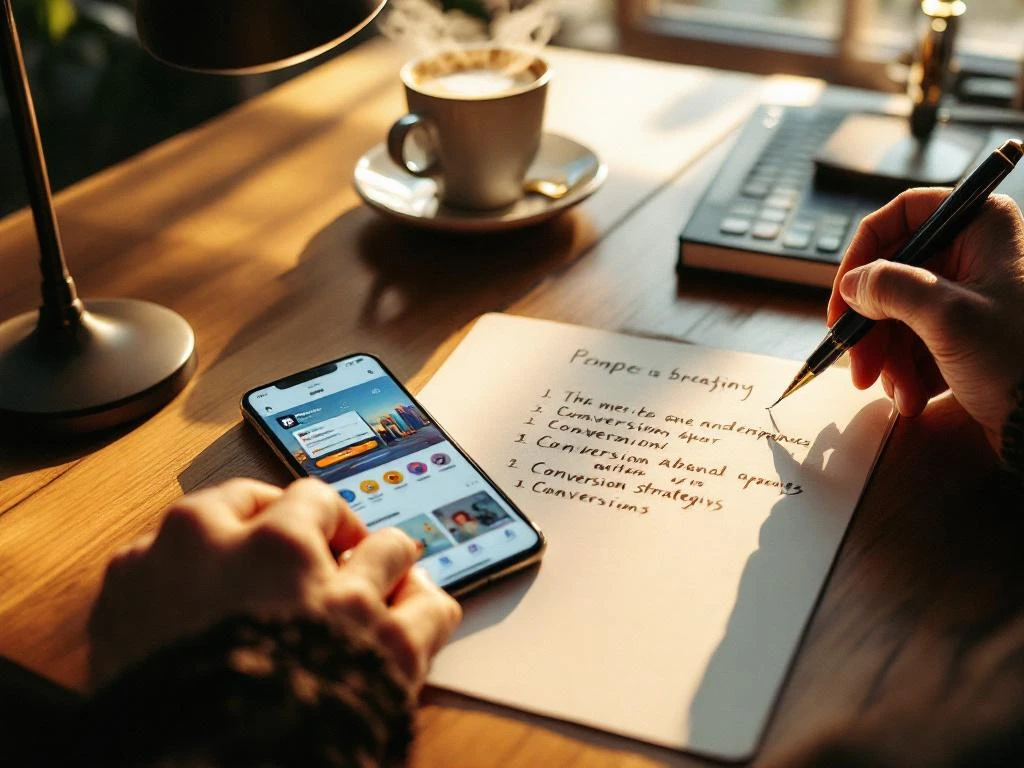
Writing an effective app store description requires balancing keyword optimization with compelling copy that speaks directly to user needs and pain points. Your description should lead with a strong value proposition, incorporate relevant keywords naturally, and guide users toward downloading through clear benefits and social proof. The key is creating copy that satisfies both app store algorithms and human psychology, turning browsers into users through strategic messaging and formatting.
What makes an app store description actually convert downloads?
App store descriptions convert when they immediately communicate clear value and address specific user problems within the opening lines. Your description needs to hook users with a compelling benefit statement, demonstrate social proof through ratings or user numbers, and maintain focus on outcomes rather than features throughout the copy.
The most effective descriptions start with a problem-solution hook that resonates with your target audience’s pain points. Instead of leading with “Our app has amazing features,” begin with “Stop wasting time on complicated expense tracking” or “Finally, a parking app that actually finds spaces.” This approach creates an emotional connection before explaining functionality.
User-focused messaging drives conversions because it shifts attention from what your app does to what users achieve. Transform feature lists into benefit statements that paint a picture of an improved life or workday. Rather than “Advanced GPS technology,” write “Never get lost again with turn-by-turn directions that actually work.” This psychological trigger helps users visualize success.
Social proof elements like user counts, rating mentions, or awards build credibility and reduce download hesitation. Phrases like “Join over 2 million users” or “Featured by Apple” provide third-party validation that encourages action. Position these elements strategically after your value proposition to reinforce the decision to download.
How do you balance keywords with compelling copy in your app description?
Effective keyword integration places your most important terms in the opening paragraph while maintaining a natural, readable flow that prioritizes user experience over search optimization. Your primary keywords should appear organically within benefit-focused sentences rather than being forced into awkward phrasing that disrupts readability.
The opening 160 characters carry the most weight for both users and algorithms, so integrate your main keyword naturally within your value proposition. If you’re optimizing for “expense tracker,” write “Track expenses effortlessly with smart categorization” rather than “Expense tracker app for tracking expenses.” This approach satisfies search requirements while maintaining persuasive power.
Keyword density should feel natural when read aloud. Aim for your primary keyword to appear 2–3 times throughout the description, with secondary keywords woven into supporting sentences. Avoid keyword stuffing, which creates awkward copy that reduces conversion rates even if it improves discoverability.
Use semantic variations and related terms to capture broader search intent without repetition. Instead of repeating “fitness app” multiple times, incorporate variations like “workout tracker,” “exercise companion,” or “health monitor.” This strategy expands your keyword coverage while maintaining engaging copy that speaks naturally to users.
What’s the ideal length and structure for app store descriptions?
App store descriptions perform best at 150–250 words, providing enough space to communicate value without overwhelming users who scan quickly on mobile devices. Your structure should follow a proven hierarchy: compelling hook, key benefits, social proof, feature highlights, and a clear call to action, with the most important information front-loaded.
The opening 2–3 sentences determine whether users continue reading or scroll away. Lead with your strongest value proposition and primary benefit, followed by a brief explanation of how your app delivers that value. This inverted pyramid structure ensures crucial information appears even if users don’t read the complete description.
Break up text with strategic formatting that improves scannability on mobile screens. Use short paragraphs of 1–2 sentences, incorporate bullet points for feature lists, and include white space that prevents walls of text. Mobile users often skim rather than read thoroughly, so visual organization significantly impacts conversion rates.
Position your call to action near the end, but make it specific and benefit-focused. Instead of the generic “Download now,” try “Start tracking expenses in under 30 seconds” or “Join thousands of users saving money daily.” This approach reinforces value while encouraging immediate action, creating a smooth transition from interest to installation.
How do you write app descriptions that work for both iOS and Google Play?
Cross-platform app descriptions require adapting to different character limits and user behaviors while maintaining consistent messaging and brand voice. iOS descriptions allow up to 4,000 characters, but users typically read only the first few lines, while Google Play provides more space but emphasizes different ranking factors in its algorithm.
Create a master version of your description, then adapt the opening for each platform’s specific requirements. iOS users often discover apps through browsing and recommendations, so emphasize visual appeal and instant gratification. Google Play users frequently arrive through search, making keyword optimization and clear problem-solving statements more important for initial engagement.
Google Play’s algorithm weighs description keywords more heavily in ranking decisions, while iOS focuses primarily on the app name and subtitle for search relevance. This difference means your Google Play description can be slightly more keyword-dense without hurting user experience, while iOS descriptions should prioritize compelling copy that converts browsers into downloaders.
Platform-specific formatting also matters for optimal display. iOS shows description previews differently than Google Play, affecting how much text appears before users tap “more.” Test your descriptions on both platforms to ensure the most important information displays prominently regardless of where users discover your app.
What common mistakes kill app store description conversion rates?
The biggest conversion killer is leading with features instead of benefits, creating descriptions that read like technical specifications rather than persuasive copy that motivates downloads. Users don’t care about your app’s capabilities until they understand how those capabilities improve their lives or solve their problems.
Weak opening lines destroy conversion potential before users engage with your content. Generic statements like “Welcome to our amazing app” or “We’re excited to introduce” waste valuable space and fail to communicate immediate value. Your opening sentence should function as a compelling headline that hooks attention and promises specific benefits.
Poor formatting creates walls of text that overwhelm mobile users and reduce readability. Long paragraphs, missing line breaks, and absent bullet points make descriptions difficult to scan quickly. Since most users spend only seconds evaluating apps, visual organization directly impacts whether they continue reading or move to competitors.
Missing social proof elements leave users without credibility indicators that encourage downloads. Failing to mention user counts, ratings, awards, or media mentions removes powerful psychological triggers that reduce hesitation. Even simple statements like “thousands of satisfied users” provide validation that supports the download decision.
Vague or missing calls to action leave users without clear next steps after reading your description. Ending with feature lists instead of compelling reasons to download immediately reduces conversion rates. Your description should build momentum toward installation, not simply inform users about functionality.
How do you test and optimize your app store description for better results?
App store description testing involves systematic A/B testing of different copy versions while tracking conversion rates from impressions to downloads. The most effective testing focuses on individual elements like opening hooks, benefit statements, or calls to action rather than completely different descriptions, allowing you to identify specific improvements that drive better results.
Monitor your conversion rate (downloads divided by page visits) as your primary optimization metric. Track this alongside keyword ranking positions and total impressions to understand how description changes affect both discoverability and conversion performance. Meaningful improvements typically require 1–2 weeks of data collection for statistical relevance.
Test different opening hooks by creating variations that emphasize different primary benefits or target different user pain points. For example, test “Save time on expense tracking” against “Never lose receipts again” to determine which value proposition resonates more strongly with your audience. Small changes in messaging can create substantial conversion improvements.
Professional App Store Optimization services provide expertise in systematic testing methodologies and access to advanced analytics tools that reveal optimization opportunities. We help you implement data-driven improvements that increase both organic visibility and conversion rates, ensuring your app store presence drives sustained growth through strategic description optimization and comprehensive ASO strategies.
Frequently Asked Questions
How often should I update my app store description to maintain good conversion rates?
Update your app store description every 2-3 months or when you have significant app updates, new features, or performance data suggesting improvements. Regular updates keep your messaging fresh and allow you to incorporate seasonal keywords or trending terms. However, avoid making changes too frequently as it takes 1-2 weeks to collect meaningful conversion data after each modification.
What's the biggest mistake when translating app descriptions for international markets?
The biggest mistake is direct translation without cultural adaptation. Simply translating keywords and benefits often misses cultural nuances, local pain points, and market-specific user behaviors. Instead, research local competitors and user reviews to understand how your target audience expresses problems and desires, then craft culturally relevant descriptions that resonate with each market's specific needs and communication styles.
How do I write compelling descriptions for apps in saturated categories like fitness or productivity?
Focus on your unique angle or specific user subset rather than generic benefits everyone claims. Instead of 'best fitness app,' target 'busy parents who need 15-minute workouts' or 'remote workers struggling with focus.' Identify what makes your solution different and speak directly to that niche audience. Use specific language that competitors avoid and address pain points that broader apps overlook.
Should I mention competitors or alternative solutions in my app store description?
Avoid directly naming competitors, but you can reference alternative approaches your app improves upon. Phrases like 'Unlike complicated expense trackers' or 'No more switching between multiple productivity apps' acknowledge alternatives without giving competitors free promotion. Focus on positioning your app as the better solution rather than attacking specific brands, which can appear unprofessional and waste valuable description space.
How do I handle negative reviews that contradict claims in my app description?
Address description-review inconsistencies by ensuring your claims are accurate and achievable. If reviews mention missing features you've highlighted, either add those features or adjust your description to reflect current capabilities. Use review feedback to identify gaps between user expectations and reality, then modify your messaging to set appropriate expectations while maintaining persuasive power.
What's the best way to incorporate seasonal keywords without making descriptions feel outdated?
Use evergreen language that hints at seasonal benefits without specific dates or events. Instead of 'Perfect for summer workouts,' write 'Great for outdoor activities year-round.' Focus on timeless benefits that apply across seasons, then use your app name, subtitle, or keyword field for more specific seasonal optimization. This approach keeps your core description relevant while still capturing seasonal search traffic.
How can I measure if my app description changes are actually improving organic discovery?
Track keyword ranking positions, organic impressions, and search-to-install conversion rates through App Store Connect or Google Play Console. Monitor these metrics for 2-3 weeks after description changes to see meaningful trends. Also watch your app's position in category rankings and note any changes in the types of keywords driving traffic. Combine this data with A/B testing different description versions to isolate which changes drive the best results.


 EN
EN  NL
NL 