

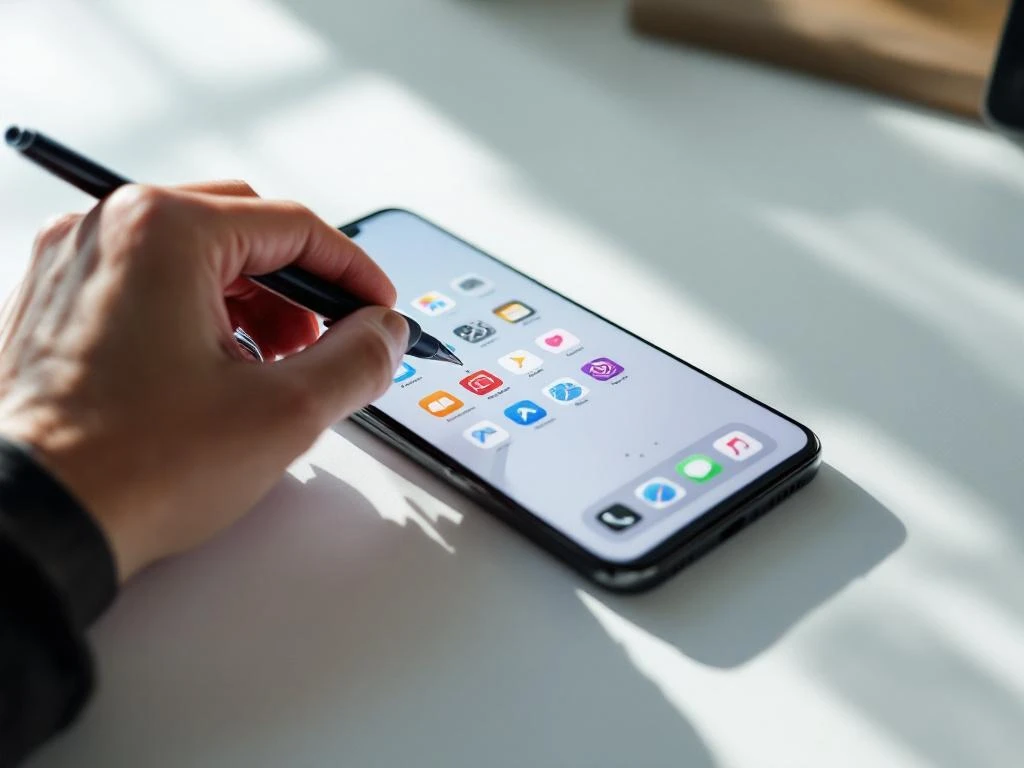
Your app icon is the first thing potential users see when browsing the App Store or Google Play, making it one of the most important factors in your conversion rate. A well-designed icon can increase downloads by creating an instant connection with your target audience, while a poor one can cause users to scroll past without a second glance. The difference between a successful app icon and one that gets ignored lies in understanding key design principles that influence user psychology and behavior. These five proven strategies will help you create an app icon that not only stands out in crowded app stores but also converts browsers into downloaders.
Why your app icon makes or breaks first impressions
Your app icon serves as the primary visual ambassador for your entire application. When users browse through app stores, they make split-second decisions about which apps deserve their attention, and your icon is often the deciding factor in that crucial moment.
Think about your own browsing behavior – you likely scan through dozens of apps in minutes, and certain icons immediately catch your eye while others blend into the background. This isn’t accidental. App icons that convert well tap into fundamental principles of visual psychology, creating an immediate sense of trust, curiosity, or relevance that compels users to tap through to your app’s listing.
The psychological impact extends beyond mere aesthetics. Your icon communicates your app’s quality, professionalism, and value proposition before users even read your description. A cluttered, unclear, or generic icon suggests a similarly poor user experience within the app itself, while a clean, purposeful design implies attention to detail and user-centric thinking throughout your product.
1: Keep your design simple and instantly recognizable
Simplicity isn’t just a design trend – it’s a conversion necessity in the mobile app world. Your icon needs to communicate its purpose and appeal within seconds, often while displayed at thumbnail size alongside dozens of competitors.
The most successful app icons focus on one clear visual element rather than trying to showcase every feature. Consider how recognizable brands like Spotify, Instagram, or WhatsApp use single, memorable symbols that users can identify instantly, even when scaled down to tiny sizes. This approach works because our brains process simple shapes and concepts much faster than complex imagery.
Avoid the temptation to include text, multiple objects, or intricate details that disappear when your icon appears in search results. Instead, choose one strong visual metaphor that represents your app’s core function or benefit. Test your icon by viewing it at the smallest size it will appear in app stores – if you can’t immediately understand what it represents, it needs simplification.
2: Choose colors that grab attention in crowded stores
Color psychology plays a massive role in app store conversion rates, but it’s not just about choosing colors that look attractive. You need colors that stand out from your competition while still aligning with your app’s purpose and target audience expectations.
Research your category by browsing through the top apps in your space and identifying the dominant color schemes. If most productivity apps use blue and gray, a well-executed orange or green might help you stand out. However, straying too far from category norms can confuse users about your app’s function, so strike a balance between differentiation and familiarity.
Consider cultural associations as well, especially if you’re targeting international markets. Red might signal excitement and urgency in Western markets but could have different connotations elsewhere. High-contrast combinations often perform well because they remain visible across different backgrounds and lighting conditions where users might be browsing.
3: Make sure your icon works at every size
Your app icon will appear in dozens of different contexts and sizes, from tiny search result thumbnails to large feature placements. An icon that looks stunning at full size but becomes illegible when scaled down will hurt your conversion rates where it matters most.
Technical requirements vary between iOS and Android platforms, with each demanding multiple resolution versions of your icon. However, the real challenge isn’t meeting these specifications – it’s ensuring your visual impact remains consistent across all sizes. This means avoiding thin lines, small text, or intricate details that disappear when compressed.
Test your icon extensively by viewing it at various sizes on actual devices, not just on your computer screen. Pay particular attention to how it appears in search results, category browsing, and related app suggestions, as these contexts often drive the highest conversion opportunities. Many successful apps create slightly different versions optimized for different display contexts while maintaining overall brand consistency.
4: What emotions should your app icon trigger?
Every successful app icon evokes specific emotions that align with the user’s needs and motivations for downloading that type of application. The emotional response your icon generates can be the difference between a download and a scroll-past.
Consider what emotional state your ideal user is in when they’re searching for your type of app. Are they stressed and looking for a solution? Excited about a new hobby? Seeking entertainment or productivity? Your icon should reflect and amplify these emotions through its visual design, color choices, and overall aesthetic.
Trust indicators are particularly important for apps handling sensitive information like finance, health, or personal data. These icons often benefit from clean, professional designs that suggest security and reliability. Entertainment apps, conversely, might use more playful, energetic designs that promise fun and engagement. The key is ensuring your emotional messaging matches both user expectations and your app’s actual experience.
5: Test different versions to find your winner
Even the most experienced designers can’t predict which icon will convert best without real-world testing. A/B testing your app icon is one of the most direct ways to improve your download rates, as you can measure actual user behavior rather than relying on opinions or assumptions.
Most app stores now offer built-in testing tools that allow you to compare different icon versions with real users. Focus on testing significant differences rather than minor tweaks – try different color schemes, layouts, or conceptual approaches. Monitor conversion rates closely during test periods, but give each test enough time to account for daily and weekly usage patterns.
Remember that icon performance can vary by traffic source, user demographics, and seasonal factors. What works well for users discovering your app through search might differ from what converts users arriving from social media or advertising campaigns. Use these insights to inform not just your final icon choice, but your broader App Store Optimization strategy.
Turn these icon principles into more app downloads
Your app icon is just one piece of the App Store Optimization puzzle, but it’s often the piece that determines whether users engage with the rest of your listing. By implementing these five principles – simplicity, strategic color use, scalability, emotional alignment, and data-driven testing – you’re building a foundation for sustained conversion rate improvements.
The most successful app marketers understand that icon design doesn’t exist in isolation. It works alongside your app title, screenshots, description, and reviews to create a cohesive conversion experience. When these elements work together effectively, they can significantly impact your organic download rates and overall app store visibility.
Consider how these icon principles integrate with your broader marketing strategy. A strong icon can improve the performance of your paid advertising campaigns, increase sharing rates on social media, and enhance brand recognition across all touchpoints. If you’re looking to maximize these benefits through comprehensive optimization, professional App Store Optimization services can help you implement these strategies alongside other conversion-focused improvements that drive sustainable growth in today’s competitive app marketplace.
Frequently Asked Questions
How long should I run A/B tests for my app icon to get reliable results?
Run icon A/B tests for at least 7-14 days to account for daily usage patterns and gather sufficient data. Aim for at least 1,000 impressions per variant before making decisions. Consider seasonal factors and traffic sources, as performance can vary significantly during weekends, holidays, or promotional periods.
What's the biggest mistake developers make when designing their first app icon?
The most common mistake is trying to show too much functionality in one icon, resulting in cluttered, confusing designs that don't work at small sizes. Developers often include text, multiple objects, or complex graphics that become illegible in app store search results where conversions matter most.
Should my app icon look similar to competitors or try to stand out completely?
Strike a balance between category recognition and differentiation. Research your top 10 competitors to understand user expectations, then find ways to stand out through color, style, or unique visual elements while still clearly communicating your app's purpose. Complete deviation can confuse users about your app's function.
How do I know if my app icon is working well across different devices and screen densities?
Test your icon on actual devices at various sizes, not just computer screens. Check how it appears in search results, category listings, and related app suggestions on both iOS and Android. Use app store preview tools and ask beta testers to screenshot your icon in different contexts to identify visibility issues.
Can changing my app icon hurt my existing download rates or user recognition?
Icon changes can temporarily affect recognition among existing users, but data-driven improvements typically boost overall conversion rates. Implement changes gradually through A/B testing first, and consider timing updates with major app releases or marketing campaigns to maintain momentum and user awareness.
What tools or resources can help me create professional-looking app icons without hiring a designer?
Use specialized icon design tools like Figma, Sketch, or Adobe Illustrator with app icon templates. Online platforms like Canva offer app icon templates, while tools like App Icon Generator help create multiple sizes automatically. However, consider professional design for competitive categories where visual quality significantly impacts downloads.
How often should I update or refresh my app icon design?
Review your icon performance every 6-12 months or when major competitors change their designs. Update when your app undergoes significant feature changes, rebranding, or when A/B testing reveals better-performing alternatives. Avoid frequent changes that confuse users, but don't let your icon become outdated in evolving visual trends.

 EN
EN  NL
NL 