

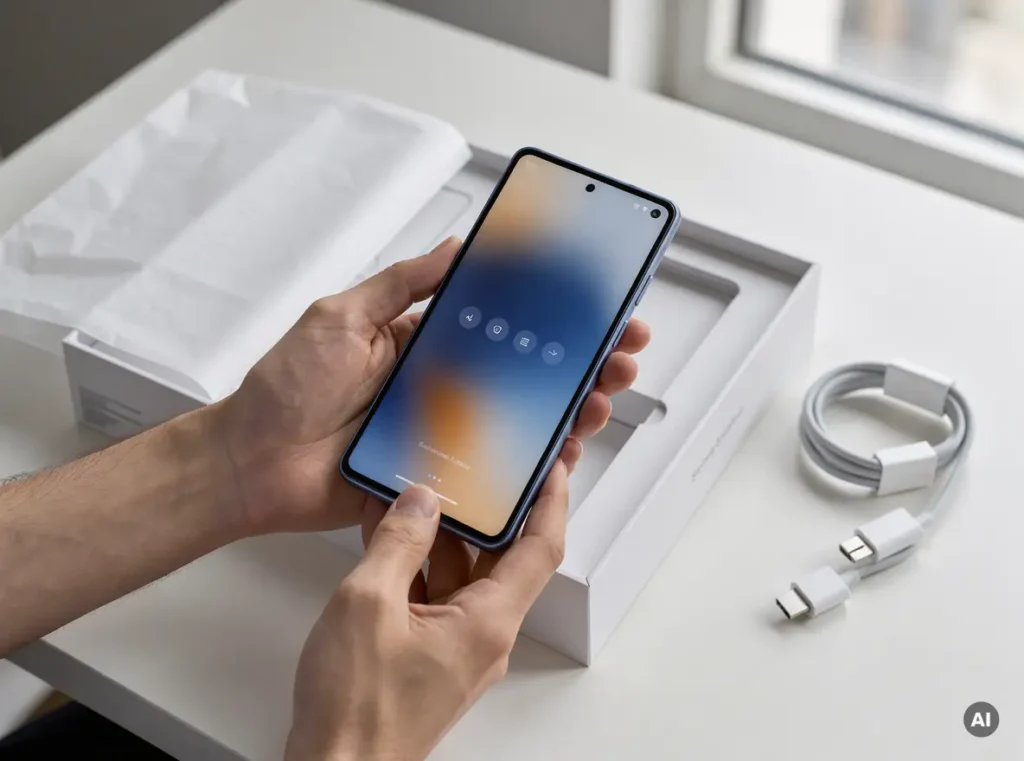
How does Samsung device onboarding actually deliver app installs?
Samsung device onboarding delivers app installs by presenting recommended apps to users while they set up a new Samsung Galaxy phone or tablet. Advertisers bid for or reserve placements in this setup flow, and users can install your app with a single tap before they ever open the Google Play Store.
The logic is simple. A new device is a blank slate, and people actively want to fill it with useful apps. During the first minutes of ownership, attention is high and app choice is still open. That is very different from the moments when a user scrolls a social feed and sees an ad that interrupts something else.
Behind the scenes, the install flows through Samsung’s advertising and distribution infrastructure. Your campaign is configured in Samsung Ads or through a partner, targeting is applied by region, device type, and sometimes user attributes, and each install is passed to your mobile measurement partner for attribution. The result is a stream of Android installs that start with a fresh device and a fresh user journey.
What types of Samsung onboarding placements can app marketers use?
App marketers can use several Samsung placements: app recommendations in the device setup wizard, featured and promoted slots in the Galaxy Store, and other Samsung-owned surfaces that promote apps to existing device owners. Exact formats and availability change by market, so confirm current options with Samsung Ads or your partner.
Setup wizard app recommendations
This is the placement most people mean by “device onboarding.” During first-time setup, users see a curated list of apps they can install straight away. Because the list is short, positioning matters, and your icon, name, and category fit all influence whether someone taps.
Galaxy Store and other Samsung surfaces
The Galaxy Store offers promoted placements and featured slots that reach Samsung users beyond the first day of device ownership. These work well for reaching existing device owners and for supporting launches, re-engagement pushes, or seasonal moments. They also give you a second Samsung touchpoint to complement setup wizard activity.
Which apps and markets are the best fit for Samsung onboarding?
Samsung onboarding fits apps with broad consumer appeal and clear value on day one, such as fintech, e-commerce, mobility, streaming, and utility apps. It performs best in markets where Samsung holds a large share of the Android device base, because that determines your available reach.
Ask yourself a few practical questions before you commit budget:
- Does your app deliver value immediately? Users who install during setup expect to use the app soon, so a quick first win matters.
- Is your audience mainstream? Onboarding reaches general device buyers, so very niche apps may find the audience too broad.
- Do you have a strong activation flow? A smooth registration and first action keep new users from dropping off.
- Is Samsung well represented in your target market? Check device share in your countries before planning scale.
For large enterprise apps with a mass-market audience, and for VC-backed apps that need fast, scalable Android growth, Samsung onboarding can add a channel that sits outside the usual paid social and search mix.
How is Samsung onboarding different from Google App Campaigns or Meta ads?
The key difference is intent and context. Samsung onboarding reaches users at the moment they set up a new device, while Google App Campaigns and Meta ads reach users inside search, YouTube, or social feeds. Onboarding is a device-level moment of discovery, whereas the other channels rely on interest and behavior signals.
Here is how the two approaches compare:
- Moment of exposure: Onboarding appears during device setup. Google and Meta appear during everyday browsing and scrolling.
- Targeting basis: Onboarding leans on device, region, and placement context. Google and Meta rely heavily on algorithmic interest and behavioral targeting.
- Audience mindset: New device owners are actively looking for apps. Feed users are often passively browsing.
- Scale and control: Google and Meta offer self-serve scale and granular optimization. Samsung placements are more limited in volume and often require more planning and partner coordination.
Most teams treat Samsung onboarding as a complement, not a replacement. It adds incremental Android reach, while Google, Meta, TikTok, and Apple Search Ads continue to carry the bulk of always-on acquisition.
How do you measure the quality of Samsung onboarding users?
You measure the quality of Samsung onboarding users by tracking what they do after install, not just how many install. Compare retention, activation, and revenue events against users from your other channels, using your mobile measurement partner to attribute each cohort correctly.
Installs alone can mislead, so build your evaluation around a few core metrics:
- Day 1, Day 7, and Day 30 retention to see whether users stick around once the novelty of the new device fades.
- Activation rate, meaning the share of users who complete a key first action such as registering or completing a first transaction.
- Cost per key event, such as cost per registration or cost per purchase, rather than cost per install alone.
- Revenue or lifetime value by cohort, so you can judge payback against other channels.
Set up in-app event tracking before you launch. With tools like Adjust, AppsFlyer, or Branch, you can tag Samsung traffic as its own source and read performance clearly. Without that setup, you cannot tell whether onboarding users are valuable or simply cheap.
How can you get the most value from Samsung onboarding campaigns?
You get the most value from Samsung onboarding by preparing your app for first-day users, testing placements against clear event-based goals, and running it alongside your other Android channels. Treat it as one part of a broader growth system, not a standalone fix.
A few practical steps help:
- Polish your store presence. Your icon, name, and listing influence whether users tap during setup, so strong App Store Optimization supports every install.
- Design a fast first session. Short sign-up, a clear value moment, and a helpful first push or email nudge keep new users engaged.
- Optimize for events, not installs. Judge placements by registrations, purchases, or subscriptions so you scale what actually works.
- Test and compare. Run a controlled pilot, compare cohorts against your other Android sources, and expand only when quality holds up.
- Plan retention early. Users who install at setup need a reason to return, so connect onboarding to your lifecycle messaging.
Samsung onboarding works best when attribution, store optimization, paid acquisition, and retention all pull in the same direction. If you want that setup done properly, you can explore onze expertise op het gebied van app-groei of Ontvang een gratis consult to talk through your Android goals with a specialist.
Conclusie
Samsung device onboarding gives you a direct line to Android users at the moment they set up a new phone, which makes it a useful addition to your Android user acquisition mix. It works best when you pick the right placements, measure quality through in-app events, and connect it to strong store optimization and retention. At Wuzzon, we focus solely on apps and bring 14 years of mobile growth experience to channels like this, so we can help you decide where Samsung fits in your strategy and how to scale it with confidence.
Veelgestelde vragen
How do I get started with a Samsung onboarding campaign if I have never run one?
Start by contacting Samsung Ads directly or working with a partner that has access to Samsung inventory, and confirm which placements and markets are available to you. Before launch, make sure your mobile measurement partner (Adjust, AppsFlyer, or Branch) is configured with a dedicated Samsung source and your key in-app events are tracked. Then run a small, time-boxed pilot in one or two markets with a clear goal, such as a target cost per registration, so you can judge quality before committing larger budgets.
What budget do I need to test Samsung device onboarding?
Minimums vary by market, placement, and whether you buy directly or through a partner, so ask for current requirements when you request a proposal. As a rule, budget enough to collect a statistically meaningful number of post-install events, not just installs, ideally enough to read Day 7 retention and your main conversion event. A pilot that is too small will give you noisy data and make it hard to compare against your other Android channels.
Why might my Samsung onboarding installs show low retention or activation?
The most common causes are a slow or complicated first session, an app that does not deliver value in the first few minutes, or an audience that is too broad for a niche product. Users who install during setup may be installing several apps at once, so they need a quick reason to open yours. Review your sign-up friction, add a clear first-win moment, and use a welcome push or email to bring users back within the first 24 hours.
Can I optimize Samsung onboarding campaigns toward purchases or registrations instead of installs?
In most cases you can evaluate and negotiate performance against post-install events, even if the buying model is still based on installs or fixed placements. Pass your key events through your MMP, compare cost per registration or cost per purchase against other Android sources, and shift budget toward the placements and markets that perform best. Ask your Samsung Ads contact or partner what optimization options are currently supported for your account.
How do I know if Samsung onboarding is incremental or just taking credit for users I would have gotten anyway?
Run a controlled test by launching in a specific region or time window and comparing total Android organic and paid installs against a similar control period or market. Review attribution windows in your MMP and check whether organic installs rise or stay flat during the campaign. If total Android growth increases while quality metrics hold, that is a good sign the channel is adding genuine incremental users.
What mistakes should I avoid when running Samsung onboarding campaigns?
Common mistakes include judging results by cost per install alone, launching without proper event tracking, skipping store listing optimization, and scaling before confirming retention quality. Another frequent issue is expanding into markets where Samsung has a small device share, which limits reach and efficiency. Validate quality in a pilot first, then scale only the markets and placements that meet your payback targets.
How should I combine Samsung onboarding with my existing Android acquisition channels?
Treat Samsung as an incremental layer on top of Google App Campaigns, Meta, and TikTok rather than a replacement. Keep each channel tagged separately in your MMP, compare cohorts on retention and revenue, and use learnings, such as which creatives or app store assets resonate, across channels. Coordinate timing so launches, promotions, or seasonal pushes on Samsung placements line up with your broader campaign calendar.
Gerelateerde artikelen
- Waarom verdwijnen gebruikers direct na het installeren van mijn app?
- 5 signalen dat je één overzicht nodig hebt van de advertentieprestaties van je app.
- Waarom haken gebruikers af tijdens het onboardingproces van een app?
- Hoe weet ik of een app-campagne daadwerkelijk winstgevend is?
- Wat is een CPI-model en hoe werkt het voor app-advertenties?
- Wat zijn aangepaste productpagina's en hoe helpen ze bij de promotie van je app?
- Hoe kun je een app promoten en tegelijkertijd voldoen aan de privacywijzigingen van iOS?
- Moet je je app eerst wereldwijd of lokaal promoten?
- Wat is het verschil tussen een app-ondertitel en een korte beschrijving?
- Wat is zoekwoordonderzoek voor de app store?
 EN
 NL
